Introduction
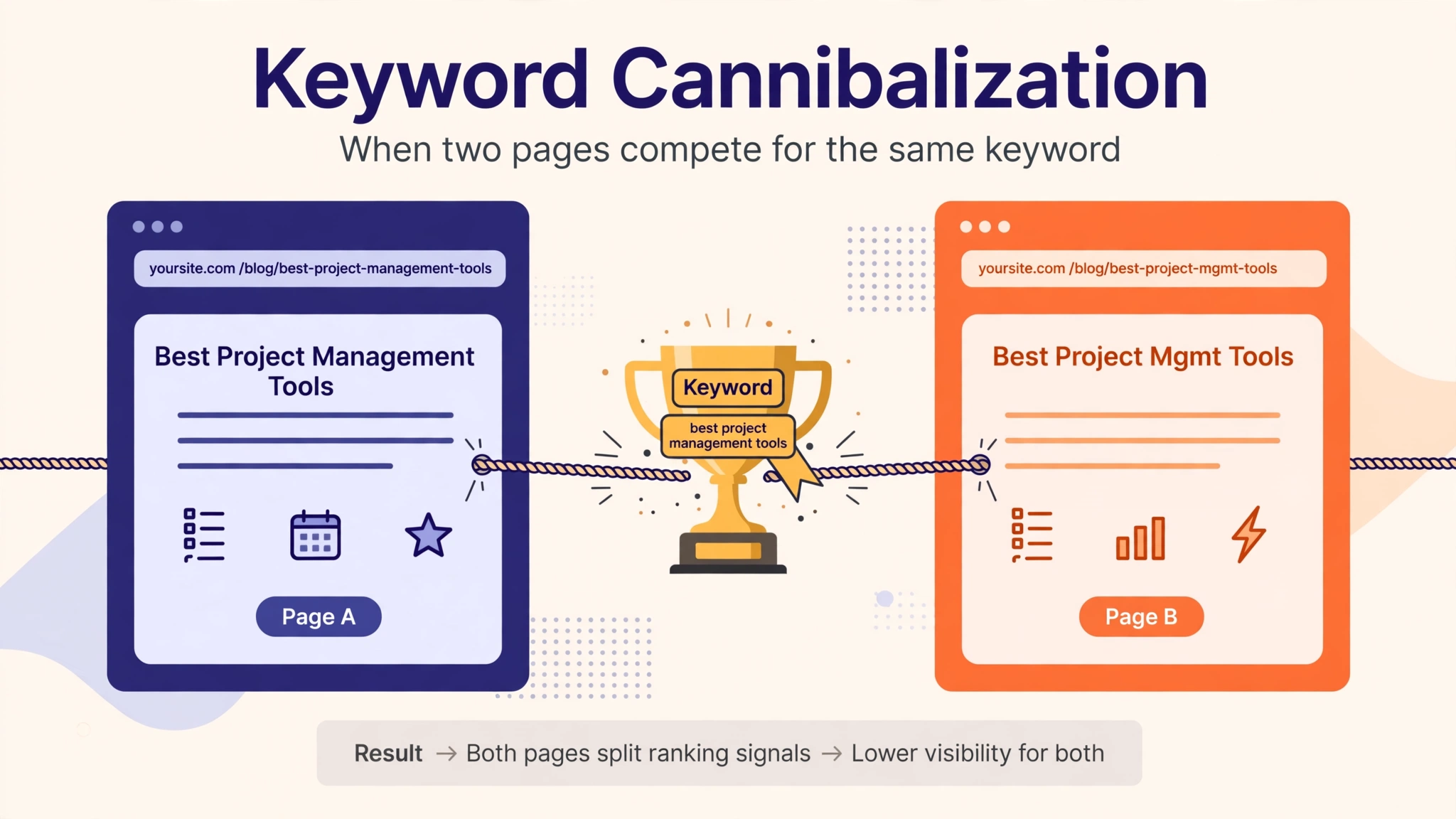
Imagine you write four good articles about the same topic, publish them all, and then wonder why none of them ranks on page one. The problem is not your content. The problem is that your own pages are competing against each other — and Google cannot decide which one deserves to win. That is keyword cannibalization.
This guide explains what keyword cannibalization is, why it hurts your rankings, how to find it in Google Search Console, and the four ways to fix it — with a real example from this very site.
What Is Keyword Cannibalization?
Keyword cannibalization happens when two or more pages on your website target the same keyword with the same search intent. Instead of one strong page, Google sees several similar pages and has to split the ranking signals — links, clicks, relevance — between them. The result is that all of them rank lower than one consolidated page would.
A simple example: you publish “How to Avoid Keyword Stuffing” and “Avoid Keyword Stuffing: 7 Safe Practices” as two separate posts. Both target “how to avoid keyword stuffing”. A searcher wants one answer, but Google must choose between your two pages — and often it chooses neither for page one, because neither page has the full strength of both.
It is called cannibalization because your pages eat each other. The traffic that should go to one strong page gets divided, and sometimes a weaker page outranks your better one simply because Google picked it that week.
Why Keyword Cannibalization Hurts Your Rankings
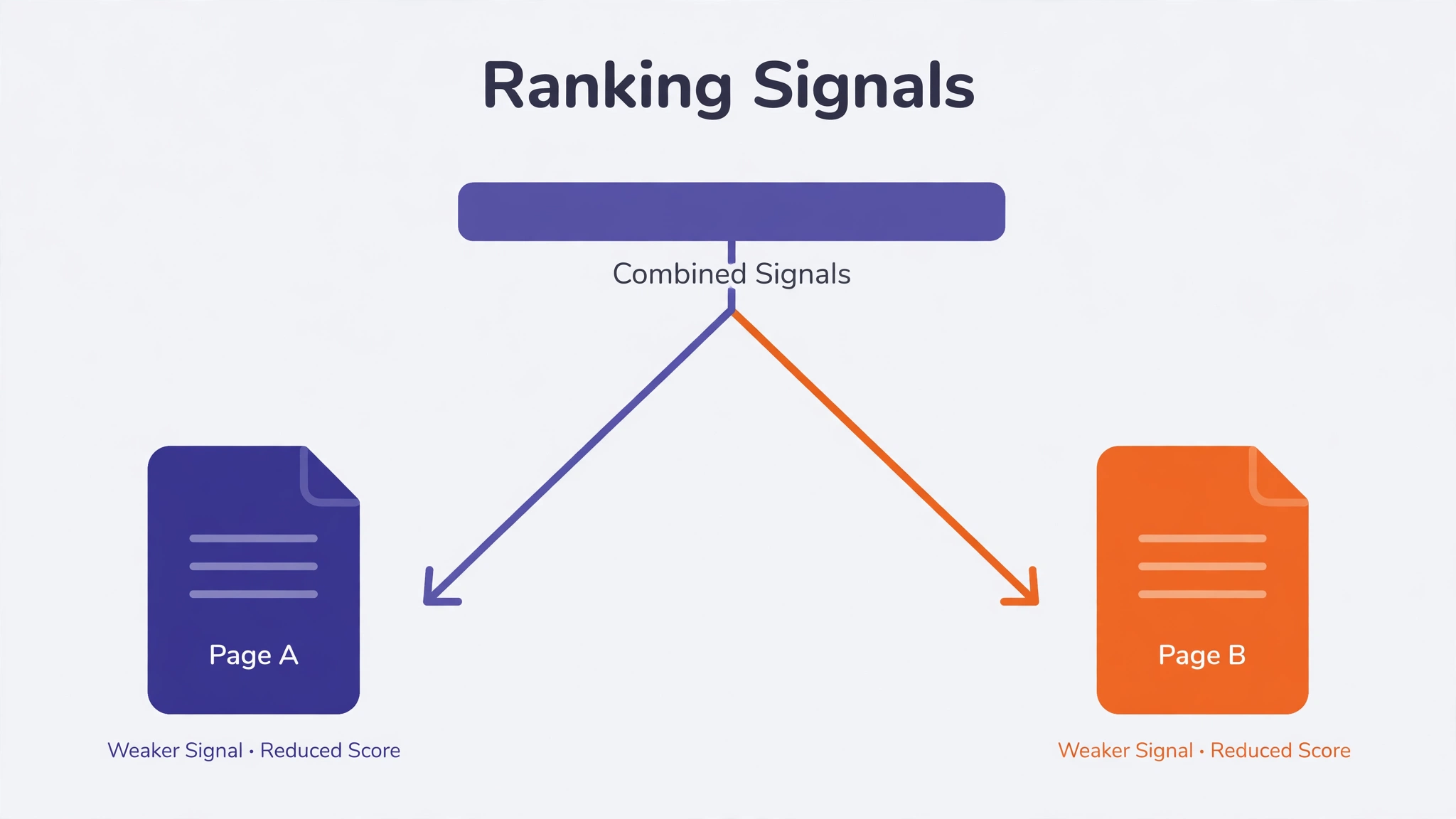 One page targeting one keyword is the cleanest signal you can send Google. When several pages target the same keyword, four things go wrong:
Split authority. Backlinks and internal links point to different pages instead of one. Ten links to one page beat five links to each of two pages, because ranking power concentrates instead of dividing.
Google cannot choose. When two pages look equally relevant, Google may swap them in and out of the results. Your ranking becomes unstable — position 12 one week, position 28 the next — and you cannot tell which page to improve.
Lower click-through rate. If two of your pages appear in the same results, searchers split their clicks between them. A single result with a strong click-through rate sends a better signal than two weak ones.
Wasted crawl budget. Google spends its limited crawl visits on near-duplicate pages instead of discovering your new content. On a large site this slows down indexing of the pages that matter.
| Problem | What happens |
|---|---|
| Split authority | Links and signals divide between pages instead of concentrating on one |
| Unstable rankings | Google swaps the pages in results; positions jump up and down |
| Lower click rate | Clicks split across two results instead of one strong result |
| Wasted crawl budget | Google crawls near-duplicates instead of new pages |
How to Find Keyword Cannibalization (3 Free Ways)
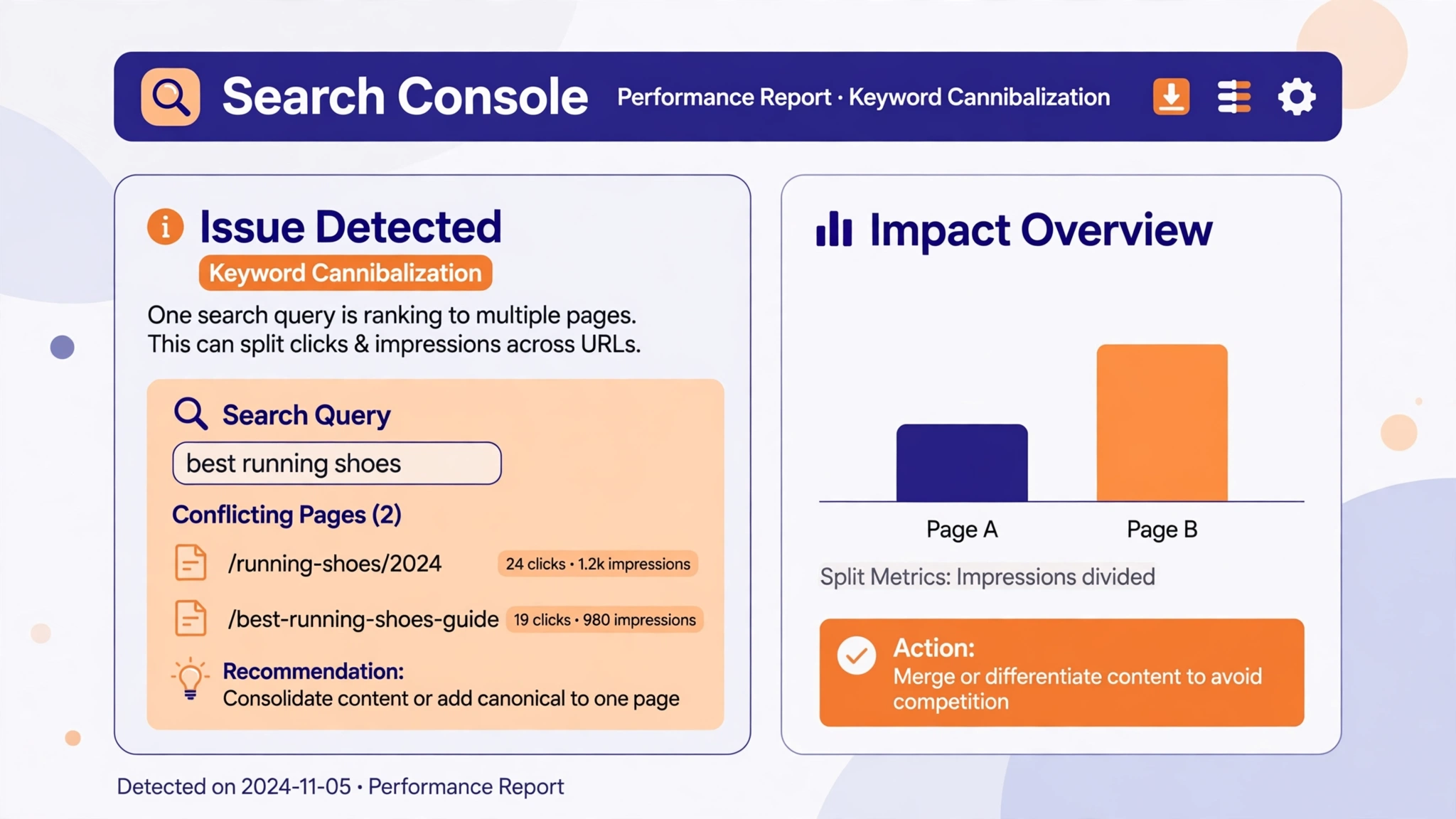 You do not need a paid tool to find cannibalization. Three free checks cover it:
1. Google Search Console. This is the most reliable method. Open the Performance report, click on a query, then look at the Pages tab. If two or more of your URLs get impressions for the same query, they are competing. Our guide on what keyword density is started from exactly this kind of Search Console check.
2. Site search on Google. Search for site:yourdomain.com followed by the keyword. If several of your pages appear for one keyword, look at whether they answer the same question. Same question, different pages — that is cannibalization.
3. Your own sitemap. Read your post sitemap and look for near-identical titles: “keyword frequency counter”, “keyword frequency counter free”, “keyword frequency checker”, “word frequency counter”. Four titles that mean the same thing are four pages fighting for one ranking.
Keyword Cannibalization vs Similar Topics
Not every pair of similar posts is cannibalization. Two pages can cover related topics without competing, as long as each one answers a different question. The test is search intent: would a person searching for this keyword be equally happy with either page?
If the answer is yes, the pages cannibalize each other. If the answer is no — each page serves a different searcher — they can both live. A page about where to place keywords and a page about how to avoid keyword stuffing are related, but they answer different questions, so they do not compete.
| Cannibalization | Healthy related pages | |
|---|---|---|
| Same keyword? | Yes — both target the same query | No — each targets its own query |
| Same intent? | Yes — either page would satisfy the searcher | No — each answers a different question |
| Fix needed? | Yes — consolidate into one page | No — keep both, link them together |
| Example | Four posts on search volume | Density guide plus placement guide |
How to Fix Keyword Cannibalization (4 Ways)
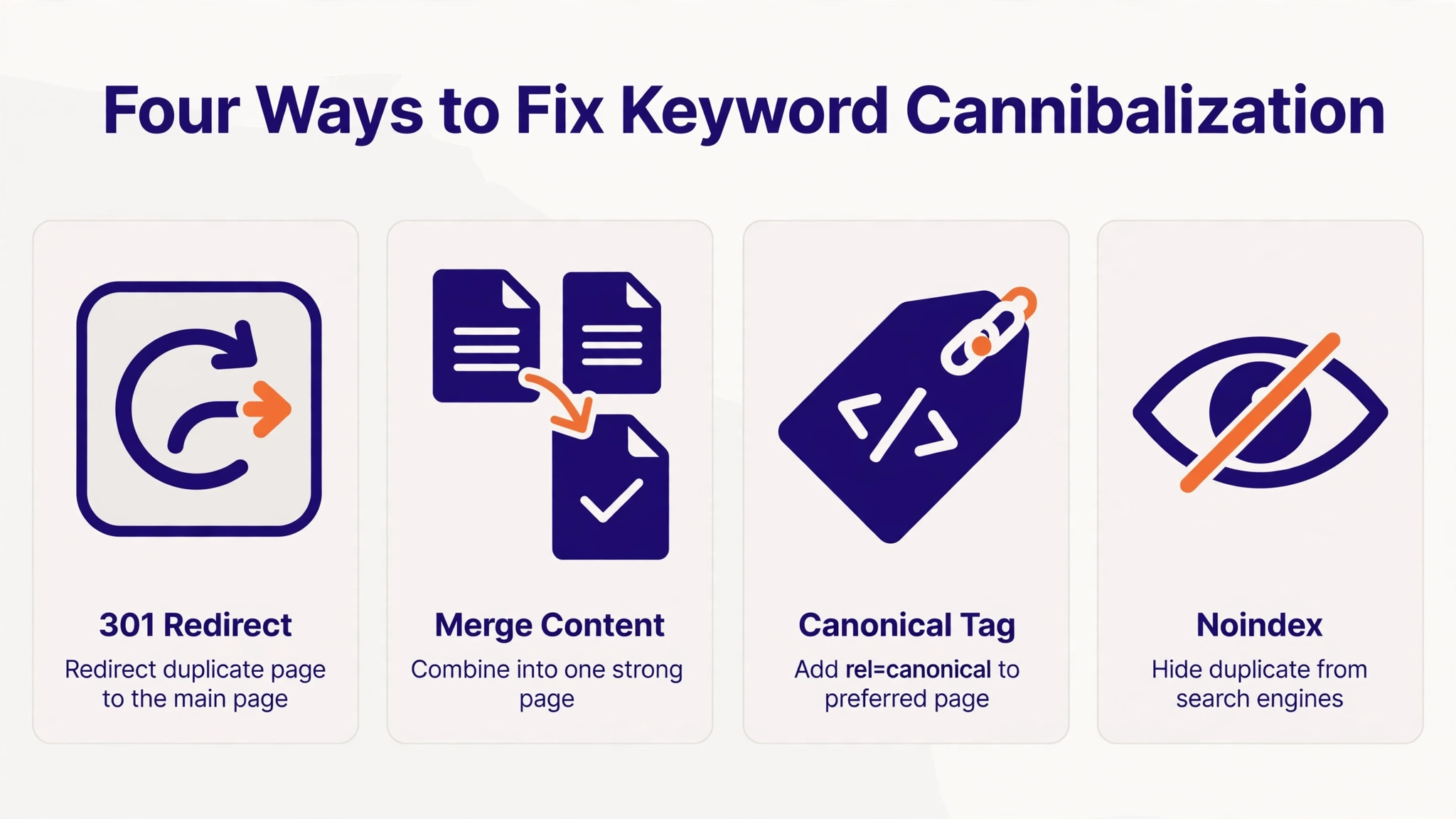 Once you find competing pages, pick one keeper — usually the page that already ranks best, has the most links, or covers the topic most completely — and deal with the rest. There are four fixes, and the right one depends on the pages:
1. 301 redirect (most common). Redirect the weaker page to the keeper. This passes most of the ranking signals to one URL and is the right fix when the pages are true duplicates. This is what we did with our duplicate posts: three search-volume posts now redirect to one, and two stuffing posts redirect to the keeper.
2. Merge the content. If both pages have good material, combine the best parts into the keeper page and then redirect the other one to it. The keeper becomes stronger than either page was alone. Use this when both pages have unique sections worth saving.
3. Canonical tag. Add a canonical tag on the weaker page pointing to the keeper. This tells Google which page is the main one, while keeping both pages live for visitors. Use it when both pages must stay visible, for example two versions of a product page.
4. Noindex. Tell Google not to index the weaker page, while keeping it live for readers. Use it for pages that are useful to visitors but should never rank, such as thin archive pages or off-topic posts. Our guide on keyword density SEO explains why keeping your indexed pages clean matters for the whole site.
After any fix, update your internal links so they point to the keeper page, not to the redirected or noindexed one. Our keyword frequency counter is the keeper for its topic, and every related post on this site now links to it instead of to the old duplicates.
A Real Example: Cleaning Up This Site
When we audited this site, we found the same pattern in three places: four posts on search volume, three posts on keyword stuffing, and four posts on the keyword frequency counter. Each group was splitting its own ranking signals. We kept the strongest page in each group and redirected the rest to it with 301 redirects — the same fix described above. We also noindexed five off-topic pages that did not belong to the site’s topic at all.
The lesson is simple: a content audit is not about writing more. Sometimes the fastest ranking gain comes from having fewer, stronger pages instead of more, weaker ones.
How to Prevent Keyword Cannibalization
Fixing cannibalization once is good. Stopping it from coming back is better. Three habits prevent it:
Keep a keyword map. Before you write a post, write down its one primary keyword in a simple list. If the keyword is already on the list, do not write a second post for it — improve the existing one instead. Our keyword frequency counter and word density checker help you check whether a draft repeats the same terms too often.
One page, one keyword. Every post gets exactly one primary keyword. Secondary keywords support it, but they never become a second post unless they need their own answer. Our guide on good keyword density shows how one page can cover a topic completely without splitting it.
Check before you publish. Search your own site for the keyword before writing. If a post already covers it, add a section to that post instead of starting a new one. Ten minutes of checking saves hours of cleanup later.
Frequently Asked Questions
Is keyword cannibalization a Google penalty?
No. Google does not penalize your site for cannibalization. It is a self-inflicted ranking problem: your pages divide their own strength. Fixing it is about consolidation, not about recovering from a penalty.
How do I know which page to keep?
Keep the page that already ranks highest, has the most backlinks or internal links, or covers the topic most completely. If two pages are equal, keep the one with the cleaner URL and the better title, then redirect the other to it.
Does cannibalization affect new sites?
Yes, and it is common on new sites because early posts often repeat topics before a plan exists. A quick sitemap check every few months catches it early, when there are only a few duplicates to fix.
Can two pages rank for the same keyword on purpose?
Only when they answer different questions. A guide and a tool page can both rank for related terms, but two blog posts answering the same question will compete. If the searcher would be happy with either page, keep one.
How long does a fix take to work?
After a 301 redirect, Google usually processes it within days, but rankings can take two to four weeks to settle as the signals consolidate on the keeper page. Check Search Console weekly, not daily.
Conclusion
Keyword cannibalization is your own pages competing for one ranking. It splits your links, confuses Google, and keeps good content off page one. Find it in Search Console by looking for one query with several of your URLs, then fix it by keeping the strongest page and redirecting, merging, canonicalizing, or noindexing the rest.
The goal is not fewer posts for the sake of it. The goal is one strong page per keyword, so every link and every click works for the same URL. Audit your sitemap, keep a keyword map, and check before you publish — and your pages will stop eating each other.
2 thoughts on “What Is Keyword Cannibalization? How to Find and Fix It (2026 Guide)”