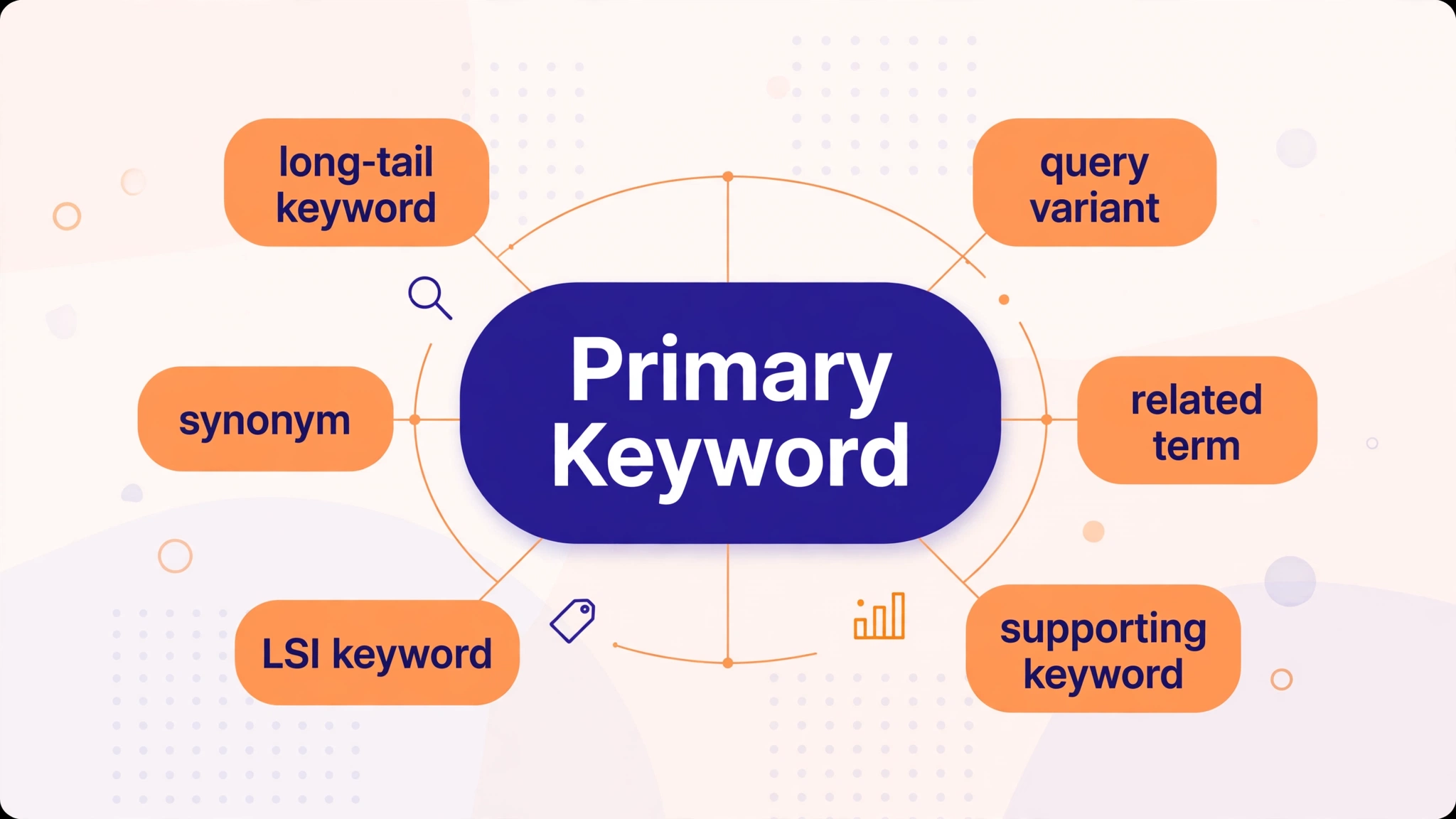
If you have ever filled in an SEO plugin and seen a box labelled “secondary keyword” or “optional secondary keyword”, you may have wondered what to type there — and whether it even matters. The short answer: a secondary keyword is a supporting search term that helps your page rank for more than one query, and it is optional because one strong primary keyword can carry a page on its own.
This guide explains what an optional secondary keyword really is, how it differs from a primary keyword, how many secondary keywords a page needs, where to put them, and how to choose them without turning your content into keyword stuffing.
What Is an Optional Secondary Keyword?
An optional secondary keyword is a search term closely related to your page’s main topic that you choose to support — but do not have to target. Your primary keyword is the one query the page is built to win. It goes in the title, the H1, the URL and the opening paragraph. A secondary keyword is a close variation, a longer version, or a subtopic of that same query.
For example, if your primary keyword is “keyword density checker”, your secondary keywords might be “keyword density tool”, “check keyword density free” and “keyword frequency counter”. A person searching for any of those would be happy with the same page, because they all want the same thing.
The word “optional” matters. In tools like RankMath and Yoast, the secondary keyword field is not required. Google does not read that field, and leaving it empty never hurts your ranking. It is a planning aid for you, not a signal for Google. What matters is whether the words actually appear naturally in your content — not whether you typed them into a plugin box.
Primary vs Secondary Keyword: The Difference
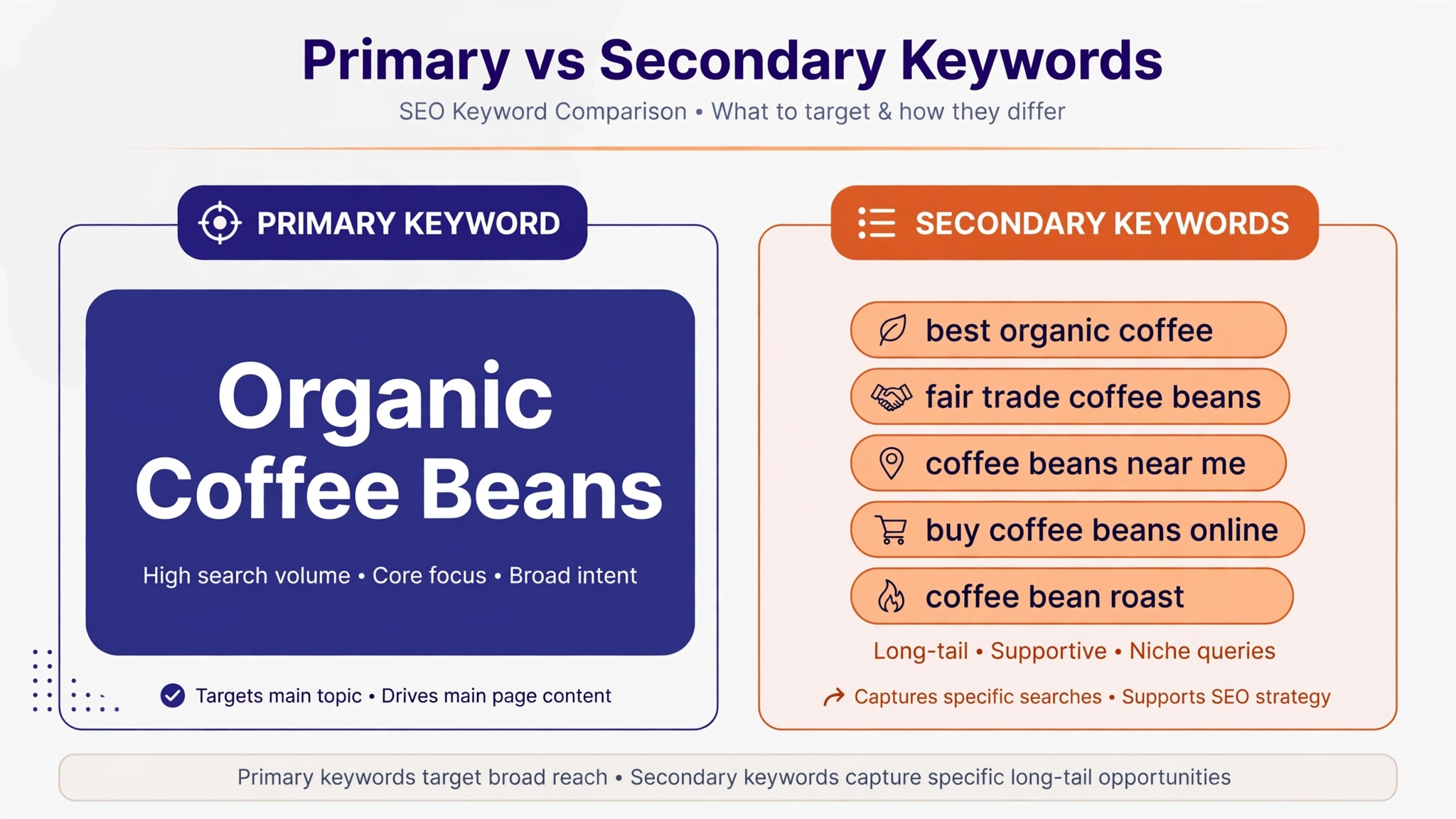
Think of the primary keyword as the topic of a book and the secondary keywords as its chapters. The primary keyword decides what the page is about. The secondary keywords decide how completely the page covers that topic.
A page should have exactly one primary keyword. Everything on the page — title tag, H1, URL slug, first 100 words — is built around it. Secondary keywords support it from the body of the page: subheadings, supporting sections, image alt text and the meta description.
The test that separates a good secondary keyword from a bad one is intent. Ask: would a person searching for this secondary term be satisfied by my page? If the answer is yes, it belongs on the page. If they would want a different answer, it needs its own page. Two phrases that look almost identical can want completely different pages, and two phrases that share no words can want the same one.
| Primary keyword | Secondary keyword | |
|---|---|---|
| How many per page | 1 | 3–5 |
| Role | The main topic the page is built to rank for | Supporting variations and subtopics |
| Where it goes | Title, H1, URL, first 100 words | H2s, body, image alt text, meta description |
| Required? | Yes — every page needs one | No — optional, but helpful |
| Example | keyword density checker | keyword density tool, check keyword density free |
 One useful check is the SERP-overlap test: search your primary keyword and your candidate secondary keyword separately and compare the top ten results. If seven or more of the same pages appear in both, Google is telling you these queries want the same page — make it a secondary keyword. If the results barely overlap, give it its own page instead.
How Many Secondary Keywords Should a Page Have?
The 2026 consensus among SEO guides is simple: one primary keyword, supported by three to five secondary keywords, plus the related terms that appear naturally when you write thoroughly. Some guides say three to eight for very long articles, but three to five is the safe working range for a normal blog post of 1,000 to 2,000 words.
Google has never published a keyword count per page, and there is no official number to hit. The real limit is relevance: once a keyword needs its own section that does not serve the primary searcher, it belongs on its own page. A page that tries to target ten unrelated terms ends up ranking for none of them.
The average top-ranking page also ranks for hundreds of other keywords it never deliberately targeted. That happens because thorough content naturally contains the variations, synonyms and subtopics people search for. You do not need to list every one of them in advance — pick three to five strong ones, write the page properly, and the rest will follow.
The 4 Types of Secondary Keywords
Not every secondary keyword plays the same role, and where it goes on the page depends on which type it is.
1. Close Variants
Different phrasings of the exact same request, such as “keyword density checker” and “keyword density tool”. These belong in your prose naturally. You rarely need to force them — a thorough page will use them without trying.
2. Long-Tail Extensions
The primary keyword plus a qualifier, such as “keyword density checker for bloggers” or “free keyword density checker online”. These are strong candidates for a sentence or a short subsection, because they match a more specific searcher.
3. Subtopic Terms
Concepts a complete answer must address, such as “keyword placement”, “keyword stuffing” and “search intent” on a page about keyword density. These become your H2 and H3 headings. If you are writing about keyword density, our guide on where to place keywords and our keyword stuffing guide show how subtopics become sections.
4. Question Terms
The “how many”, “where do I put” and “what is the difference” queries people ask around your topic. These come from Google’s People Also Ask box and make excellent FAQ entries at the end of the page.
Where to Place Secondary Keywords
 Secondary keywords should appear where they genuinely help the reader — never just to hit a count. The natural homes are:
Subheadings (H2 and H3). This is the most natural placement. Turn a secondary keyword into a section heading when it represents a subtopic worth covering. At least one H2 should carry a secondary keyword or a close variation.
Body paragraphs. Use secondary keywords in the opening sentence of the section they belong to, then write naturally. Do not repeat the exact phrase in every paragraph — use synonyms and related words after the first mention.
Image alt text. Include a secondary keyword only when it honestly describes the image. Writing “secondary keyword placement in subheadings” as alt text for a screenshot of headings is natural. Adding it to every image on the page is not.
Meta description. A secondary keyword can appear here if it fits the 150 to 160 characters naturally, but the primary keyword comes first — the meta description is written for the click, not for ranking.
What secondary keywords should never do is take over the spots reserved for the primary keyword. The title tag, H1 and URL slug belong to the primary keyword alone. Putting a secondary keyword in the title confuses Google about what the page is really about.
How to Find Secondary Keywords (4 Free Ways)
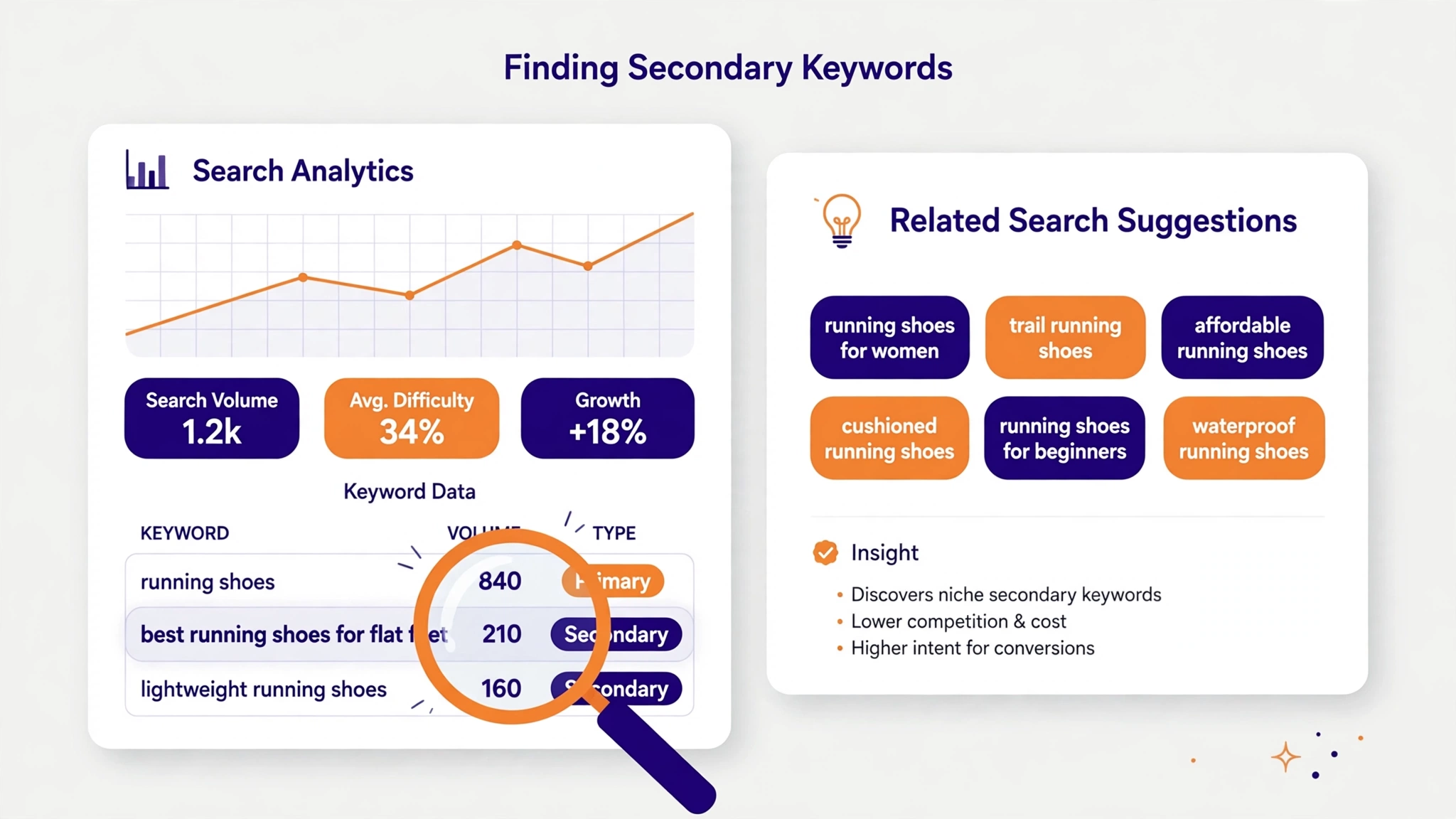 You do not need a paid tool to find good secondary keywords. Four free sources cover almost everything:
1. Google Search Console. This is the highest-value source, because it shows queries your page already gets impressions for. Open the Performance report, filter to the page, and look for queries sitting at positions 5 to 20. Those are secondary keywords Google already associates with your page — give each one a proper section and it can climb. Our guide on what keyword density is started exactly this way, from a query already showing in Search Console.
2. Google autocomplete and related searches. Type your primary keyword into Google and note the suggestions, then scroll to “Related searches” at the bottom of the results page. Both lists are real searches from real people.
3. People Also Ask. The question boxes on the results page are ready-made FAQ entries and question-type secondary keywords.
4. Your own content gaps. Check what a thorough page on your topic should cover and you do not. If competitors cover a subtopic and you do not, that subtopic is a secondary keyword waiting for a section. Before adding it, run the same-intent test: if it needs its own answer, write a separate post instead of cramming it in.
Once you have a shortlist, check each candidate with the SERP-overlap test above, keep the three to five that pass, and discard the rest. A secondary keyword with no corresponding section on your page is not a target — it is a wish.
Secondary Keywords vs LSI Keywords
You will often see secondary keywords confused with “LSI keywords”. They are not the same thing, and the difference matters.
LSI stands for Latent Semantic Indexing, a technique from the 1980s for understanding relationships between terms in documents. In SEO it became a buzzword that usually just means “related keywords”. The problem is that Google does not actually use LSI. It uses much more modern natural language processing — systems like BERT and neural matching that read a page as a cluster of concepts and entities, not as a list of related words.
Secondary keywords are a simpler and more practical concept. Instead of guessing what Google considers semantically related, you look at what pages actually rank for. They are based on real search data — Search Console queries, autocomplete, related searches — rather than on a theoretical relationship between words. Plan with secondary keywords, and ignore any tool that sells you an “LSI keyword” list.
5 Secondary Keyword Mistakes to Avoid
| Mistake | What happens | Do this instead |
|---|---|---|
| Targeting a secondary keyword in the title | Google gets confused about the page’s real topic | Keep the title for the primary keyword only |
| Adding 10+ secondary keywords to one page | The page tries to rank for everything and ranks for nothing | Pick 3–5; give the rest their own pages |
| Forcing a secondary keyword into every paragraph | Reads like stuffing; hurts readability | Use it once per section, then use variations |
| Using a secondary keyword with different intent | Visitors bounce because the page answers the wrong question | Run the SERP-overlap test first |
| Typing it into the plugin box but never into the content | Nothing changes — Google never reads that field | Put it in a real H2 or paragraph, or leave it out |
The last mistake is the most common. Filling in an “optional secondary keyword” field in RankMath or Yoast feels like SEO work, but it is only a note to yourself. If the words never appear in your headings or body, they do nothing. Our keyword frequency counter shows which words you actually repeat most — check your draft there before publishing, and use our word density checker to confirm the balance. A safe range is around 0.5 to 1 percent for the primary keyword, roughly 5 to 10 mentions per 1,000 words. For the full picture, read our keyword density SEO guide and our good keyword density guide.
Frequently Asked Questions
Is a secondary keyword required?
No. Secondary keywords are optional. A page with one strong primary keyword and thorough content can rank perfectly well without any planned secondary keywords. They help a page rank for more searches, but they are never a requirement.
How many secondary keywords should I use?
Three to five per page is the standard recommendation for 2026. Very long articles can support up to eight, but only if each one has a real section on the page. More than that usually means you are targeting keywords that deserve their own pages.
Can a secondary keyword become a primary keyword?
Yes. If a secondary keyword starts getting significant impressions in Search Console, or if its search volume grows, give it its own page with it as the primary keyword. That is how a supporting term graduates into a topic of its own — and it is also how you avoid cannibalization, where two of your pages compete for the same query.
Where should secondary keywords go?
In H2 and H3 subheadings, in the body paragraphs of the section they belong to, in image alt text where it honestly describes the image, and in the meta description if it fits naturally. Never in the title tag, H1 or URL — those belong to the primary keyword.
Are secondary keywords the same as LSI keywords?
No. LSI keywords are a buzzword based on a 1980s technique Google does not use. Secondary keywords are practical: real related queries, chosen from Search Console, autocomplete and related searches, that share the same intent as your primary keyword.
Conclusion
An optional secondary keyword is simply a supporting search term you may choose to cover on a page — a close variation, a long-tail extension, a subtopic or a related question that shares the same intent as your primary keyword. Pick three to five, give each one a real home in a subheading or a section, and check with the SERP-overlap test that they belong on the same page at all.
Do not obsess over the plugin field. The field is optional because the concept is optional — what matters is the content. Write one page, one intent, one primary keyword, and let three to five secondary keywords prove the page covers its topic completely. Then watch Search Console: the queries that start appearing there are your next secondary keywords, and sometimes your next article.