
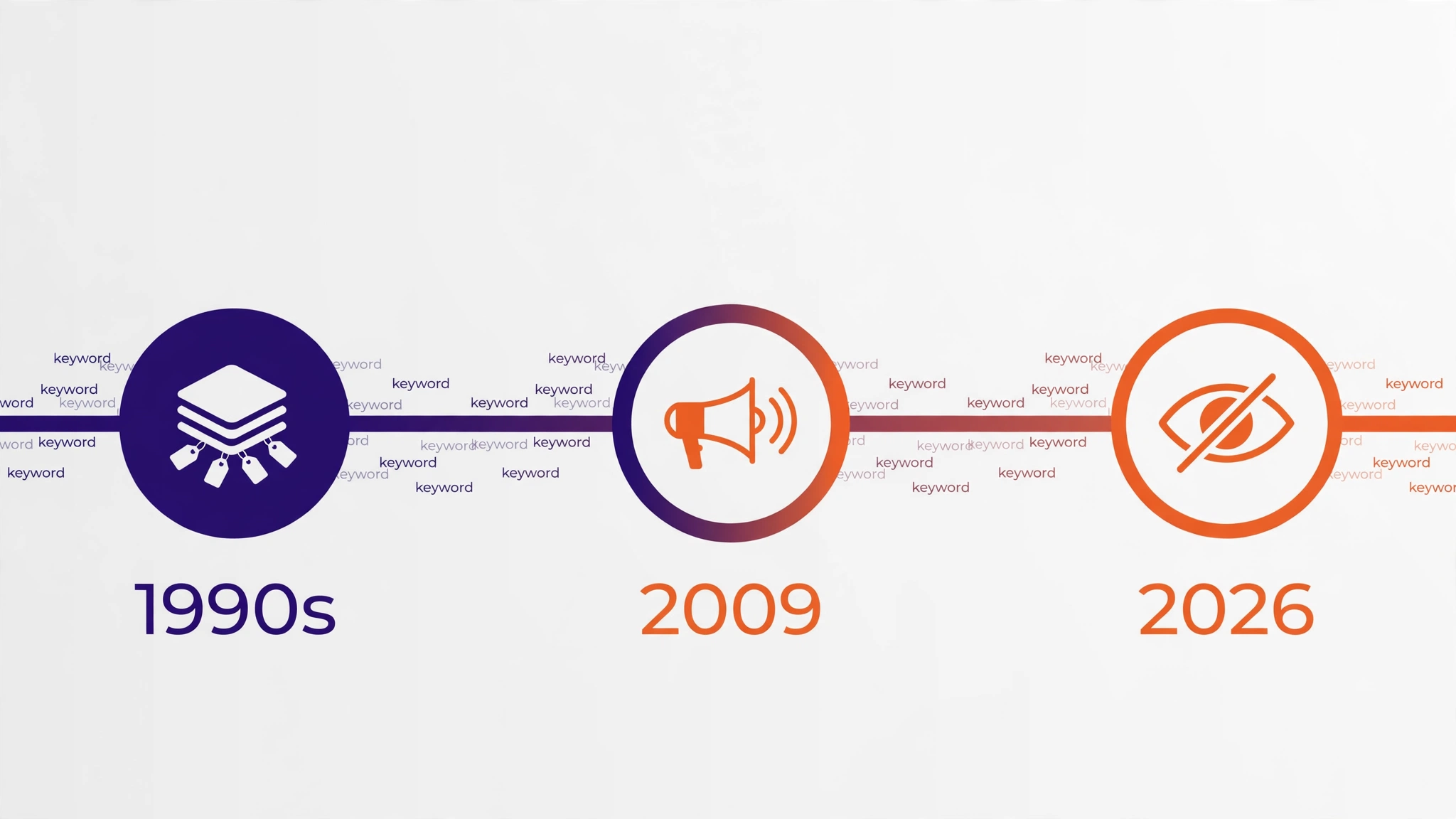
No, meta keywords do not matter for SEO in 2026. Google has ignored the meta keywords tag completely since 2009, and its own documentation still lists the tag as unsupported, with no effect on indexing or ranking at all. If you are still filling in that little keywords box on every page, you are spending time on the one on-page element that cannot help you rank. So are meta keywords still relevant at all? Only as a piece of SEO history, and as a warning about what happens when an optimization trick gets abused until search engines stop trusting it.
This guide gives you the straight answer first, then the full story: what meta keywords are, why Google stopped reading them, what Bing and Yandex do with them, why the field still shows up in WordPress plugins, the small risks of filling it in, and the seven things worth doing with that time instead. By the end you will know exactly what to do with the tag on your own site, and you will never wonder about it again.
What Are Meta Keywords?
Meta keywords are a small piece of HTML that sits in the head section of a web page, invisible to visitors. It looks like this: <meta name="keywords" content="keyword density, keyword counter, seo tools">. The idea was simple. A page author would list the topics of the page as a comma-separated list of words and phrases, and a search engine would read that list to understand what the page was about. In the early days of the web, in the mid to late 1990s, that is more or less how it worked. Search engines had weak crawlers and thin indexes, so a page that told them its own keywords was genuinely helpful.
That honesty did not last. Because the tag was invisible to visitors, nothing stopped a page owner from listing words that had nothing to do with the page. A page about cheap flights could list “free music, celebrity photos, online casino” and show up for searches it had no business ranking for. Worse, competitors could copy the keyword list straight out of a rival page source code, since the tag was visible to anyone who clicked “view source”. The tag became a spam tool before it became a ranking factor worth trusting, and search engines learned to stop believing it.
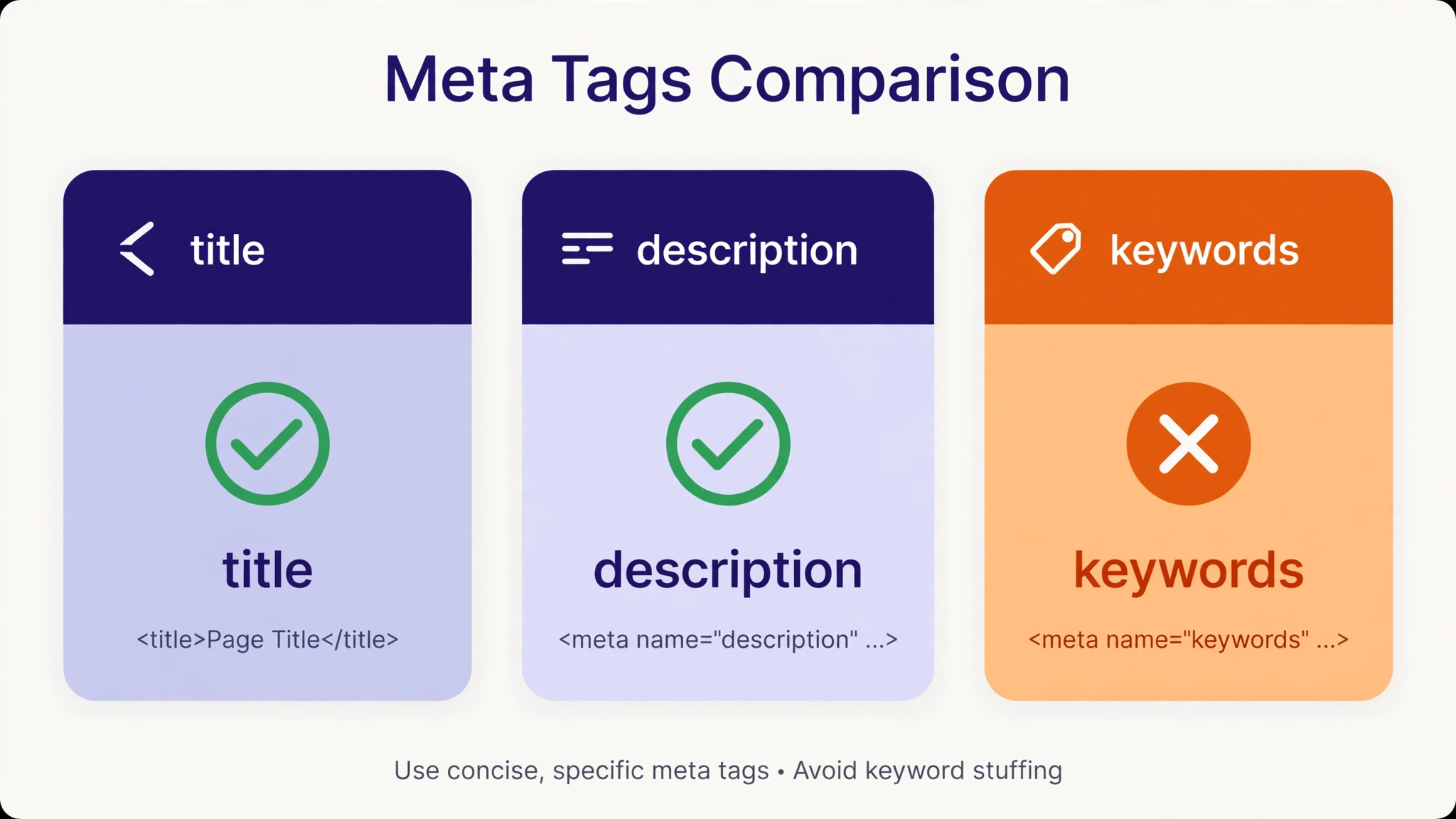
It helps to see where meta keywords sit among the other meta tags. The meta description is the short summary Google sometimes shows under your page title in the search results. The meta robots tag tells search engines whether to index a page or follow its links. The title tag is not a meta tag at all, but it is the single most important on-page element. Meta keywords, by contrast, are a label a page sticks on itself, and Google decided long ago that self-applied labels are not evidence of anything.
The Short Answer: Do Meta Keywords Still Matter?
For Google, the answer has been no for seventeen years. On 21 September 2009, Google published a post on its official Webmaster Central blog titled “Google does not use the keywords meta tag in web ranking”. The post said plainly that Google does not use the keywords meta tag in web search ranking, and it added that Google had already been ignoring the tag for years before the announcement. The post is still online today, and it now carries a short note from Google saying the position has not changed.
That was not a one-off statement. Google has repeated the same answer ever since. In 2012, Matt Cutts, then head of Google’s webspam team, said flatly that no time should be spent on the tag because it is not used at all in ranking. In September 2023, John Mueller, a Google Search Advocate, gave the same answer on camera: “We do not use the contents of the keyword meta tag in Google Search.” And Google’s current Search Central documentation, on the page “Meta tags and attributes that Google supports”, lists the meta keywords tag under unsupported tags, with the blunt wording that it “is not used by Google Search, and it has no effect on indexing and ranking at all”. The page was last updated in December 2025, so this is not a forgotten corner of the docs. It is live policy.
That settled the question for the search engine that sends most of the web its traffic. But Google is not the only search engine, so the honest answer needs one more section before it is complete.
What About Bing, Yandex, and Other Search Engines?
Google’s no is absolute. Bing’s no is almost as firm, with one twist worth knowing. Yandex is the single exception, and it is a narrow one.
| Search Engine | Uses Meta Keywords for Ranking? | What That Means for You |
|---|---|---|
| No, ignored since 2009 | Filling the tag changes nothing at all | |
| Bing | No, dead as a ranking factor since 2014 | Stuffing the tag can count against you as a spam signal |
| Yandex | Yes, documented as a relevance input | Only worth filling if Russian-language search is a real channel for you |
| DuckDuckGo, Yahoo, Ecosia | No | These use Bing or Google results, so the same answer applies |
| AI search and answer engines | No | They read page content and structured data, not the tag |
Bing’s story is the interesting one, because Bing took longer to settle. In October 2011, Bing’s Duane Forrester said publicly that meta keywords was one of roughly a thousand signals Bing looked at, then clarified what kind of signal it was: not a positive ranking input, but a way to spot spam. Three years later, in October 2014, Forrester wrote on the Bing Webmaster Blog that it was “pretty clear the meta keyword tag is dead in terms of SEO value”. In 2020, Bing’s Christi Olson confirmed again that Bing still excludes and ignores the tag for ranking. Bing has never ruled out using it again one day, but that is not a reason to fill it in now. A tag that earns you nothing when it works and counts against you when it is stuffed is not an asset.
Yandex, Russia’s largest search engine, is the only mainstream engine that still documents the keywords tag as an input it reads. That matters if a large share of your traffic comes from Russian-language search. For almost every site written in English, it does not. The same applies to Baidu, which treated the tag as relevant years ago and has since moved away from it. Unless you are deliberately targeting one of those markets, the tag is dead weight.
There is one more Google footnote that shows how final the decision was. Google once ran a narrower version of the idea for news publishers, a news_keywords tag that told Google News what a story was about. Google dropped that too, around October 2017. When even the specialist version of the tag gets retired, the general version is not coming back.
Why Google Stopped Using Meta Keywords
Google stopped using meta keywords for the same reason a teacher stops accepting self-graded homework: the answers stopped matching reality. Three problems killed the tag.
First, it was invisible, so it was abused without consequence. A visitor never sees the meta keywords tag, which means a page owner could claim any topic without any reader noticing. In the late 1990s, pages stuffed the tag with popular search terms that had nothing to do with their content, and search results filled up with irrelevant pages. The tag rewarded the most dishonest pages and punished the honest ones.
Second, it was trivially easy to copy. Because the tag sits in the page source, any competitor could open a top-ranking page, read its keyword list, and paste the same list into their own page. A ranking signal that anyone can copy in ten seconds is not a signal at all. It is a photocopier.
Third, Google got better at reading the page itself. By 2009, Google no longer needed a page to tell it what it was about. It could read the title, the headings, the body text, the links pointing at the page, and the anchor text other sites used to describe it. A page that says “keyword density checker” in its title, its H1, and its first paragraph does not need a meta tag to say the same thing a fourth time. The tag became redundant at the exact moment it became untrustworthy, and Google dropped it.
The lesson travels well beyond this one tag. Every SEO tactic that hides information from visitors and shows it only to search engines follows the same path: it works briefly, it gets abused, and it gets ignored. The tactics that last are the ones a human reader can see and judge. That is why the rest of this guide focuses on visible things.
Meta Keywords vs Meta Description vs Meta Title
Part of the confusion is that the three tags sound alike and sit in the same place. They do very different jobs, and only one of them is dead.
| Tag | Does Google Use It? | What You Should Do |
|---|---|---|
| Title tag | Yes, a major ranking signal | Write a unique, honest title for every page, with the main keyword near the front |
| Meta description | Yes, for the search snippet, not for ranking | Write 150 to 160 characters that sell the click, with the keyword included naturally |
| Meta robots | Yes, it controls indexing | Leave it alone unless you deliberately want a page kept out of search results |
| Meta keywords | No, ignored since 2009 | Leave it empty, and spend the time on the title and content instead |
| Meta viewport | Yes, for mobile display | Keep it; it tells phones how to scale your page |
The meta description deserves a closer look, because it is the tag people most often confuse with meta keywords. Google does not use the meta description as a ranking factor either, but it does use it as the text under your page title in the search results, when it chooses to. A good description can lift your click-through rate, which is real traffic even if it is not a ranking boost. That is why every article on this site carries a written meta description, while none of them needs a meta keywords tag. If you want a deeper guide to the tag that does matter, our article on meta description length covers the ideal length, with examples of descriptions that earn clicks and ones that waste the space.
The title tag is the one that truly moves rankings, and it is the first thing to fix on any page. A page whose title matches what people actually search for, and whose content delivers on that title, will beat a page with a stuffed keywords tag every time. Our guide on how to use keywords in headings shows the same principle applied to H1s and H2s: put the right words where readers and Google both look.
Why the Meta Keywords Field Still Exists
If the tag has been dead since 2009, why does the box still show up? Because old software outlives old advice. WordPress itself never added a meta keywords field to the core editor, but many themes and SEO plugins did, back when the tag still seemed useful. Those fields stayed in place long after the tag stopped working, because removing a feature annoys the users who still fill it in, and because a field that does nothing costs the plugin author nothing to keep.
Yoast SEO, the most popular WordPress SEO plugin, finally removed its meta keywords feature in version 6.3, and its own explainer says there is no longer any option to switch the field back on. Other plugins kept theirs. Old blog posts and YouTube tutorials from 2010 still tell beginners to fill the tag in, and those pages still rank, so new site owners keep meeting the same outdated advice. The field survives on momentum, not on merit.
There is also a psychological reason. Filling in a keywords box feels like doing SEO. It is quick, it is concrete, and it gives the satisfying sense that you have told Google what your page is about. Real SEO work is slower and less certain: rewriting a weak introduction, earning a link, or fixing a page that loads slowly. The keywords box offers the feeling of progress without the work, which is exactly why it is so tempting. Recognizing that feeling is the first step to spending your time better.
The Real Risks of Filling In Meta Keywords
Leaving the tag empty costs nothing. Filling it in carries three small but real downsides, and none of them is offset by any upside.
First, you hand your keyword research to your competitors. The tag is visible in your page source to anyone who looks. Every phrase you list is a phrase you have researched, chosen, and decided is worth targeting. A competitor who opens your source code gets your list for free, including the long-tail phrases you found that they have not. Your page content already reveals your topic; the tag reveals your strategy.
Second, stuffing the tag can count against you on Bing. Bing has said for over a decade that it reads the tag as a spam signal rather than a ranking boost. A short, honest list will not hurt you, but a long list of barely related phrases is exactly the pattern Bing’s spam team described. Since Bing’s index also feeds DuckDuckGo, Yahoo, and Ecosia, and powers parts of AI search, a careless tag can quietly work against you on several engines at once, while helping on none of them.
Third, and most importantly, it wastes the scarcest resource a small site has: your time. Ten minutes per page, across a hundred pages, is more than sixteen hours of work that buys zero rankings. Those same sixteen hours could produce a genuinely useful article, fix the images on five thin posts, or earn a real backlink. On a site that publishes two or three posts a day, that trade is the whole game. The tag is not just useless; it is a quiet tax on every page you publish.
What to Do Instead: 7 Things That Actually Help You Rank
Here is where the time goes instead. Each of these is visible to readers, measurable in Search Console, and confirmed by Google’s own guidance.
- Write a title tag that matches the search. Put the main keyword near the front, keep it under 60 characters, and make it a promise the page keeps. The title is the first thing Google reads and the first thing a searcher sees.
- Write a meta description that earns the click. You have about 150 to 160 characters to tell a searcher why your page is the right one. Include the keyword naturally, and end with a reason to click.
- Use the keyword in the H1 and the first 100 words. This is the modern version of what the meta keywords tag pretended to do: tell Google and the reader, in plain visible text, what the page is about. Our guide to keyword placement shows all eight places a keyword belongs, and none of them is hidden.
- Keep keyword density natural, around 1 to 2 percent. Mention the topic enough that Google can see it, and little enough that a human never notices the repetition. If you are unsure, run the page through our keyword density checker before you publish. It takes thirty seconds and catches stuffing before Google does.
- Answer the question better than the pages above you. Open the top three results for your keyword, find the question they answer thinly or skip entirely, and answer it properly, with an example, a table, or a step-by-step. Content depth is the ranking factor no tag can fake.
- Link your own pages together. Internal links tell Google which of your pages matter most, and they keep readers on your site. A new post should link to two or three older posts on related topics, and older posts should link forward to the new one where it fits. Our keyword gap analysis guide shows how to find the topics your competitors cover that you do not cover yet, which is where the next internal links should point.
- Check the page in Search Console after publishing. Watch whether Google indexes it, which queries bring impressions, and where the page settles. Then improve the page that is closest to page one instead of publishing another page from scratch. That habit is worth more than any tag. Our guide to how to monitor keyword positions walks through the exact routine.
None of these seven is a secret, and none of them is fast. That is the point. The things that rank are the things that take real work, which is why so few pages do them well.

How to Remove Meta Keywords From Your Site
If your site already has meta keywords tags, removing them is safe and takes minutes. Nothing will change in your rankings, because the tags were contributing nothing. Here is how to do it in WordPress.
First, find where the tags are coming from. In most cases it is your SEO plugin or your theme. Open any page, view the page source in your browser, and search for “keywords”. If you see a line like the example near the top of this article, the tag is live. Note whether it appears on every page or only on some; a plugin usually adds it everywhere, while a theme may add it only to posts.
Second, turn the field off. In RankMath, open the page editor, scroll to the RankMath box, and look for any keywords field in the advanced settings. In other plugins, the field may sit under a tab called Advanced, Social, or Misc. Some older themes have their own SEO settings page with a keywords box. Empty the field and save. If your plugin has a global switch for meta keywords, turn that off as well so new pages do not get the tag by default.
Third, check that the tag is gone. Purge your cache, open the page again, view the source, and search for “keywords” once more. The line should be gone. Check a post page and a tool page, since themes sometimes treat them differently. If the tag survives, it is coming from a second place, usually the theme, and you will need to empty that field too.
Finally, do not delete the keyword research behind the tag. The phrases you listed are still valuable; they belong in your content plan, not in your page source. A phrase from an old meta keywords tag makes a fine H2, a FAQ question, or the topic of a follow-up article. The research was never the problem. The hiding place was.
Worked Example: The Same Hour, Spent Two Ways
Imagine two site owners, each with one free hour on a Saturday and a new post to publish. The first spends the hour filling in the meta keywords tag on twenty old pages, carefully choosing five phrases per page. The second spends the hour rewriting the title tags and meta descriptions of the five pages that already get the most impressions in Search Console.
Thirty days later, the first owner has changed nothing measurable. Google ignored every tag, exactly as it has since 2009. The second owner can see the result in Search Console: the same pages, the same rankings, but a higher click-through rate, because more searchers chose their snippets. Same hour, same site, different outcome. The difference was not effort. It was where the effort went.
That is the real answer to the meta keywords question. It is not only that the tag does nothing. It is that every minute spent on it is a minute not spent on something that works. On a small site, where one person does everything, that trade decides whether the site grows or stands still.
Frequently Asked Questions About Meta Keywords
Are meta keywords still relevant in 2026?
No. Google has ignored the meta keywords tag since 2009, Bing calls it dead as a ranking factor, and no AI search engine gives it weight. The only mainstream engine that still documents it as an input is Yandex, which matters only if you target Russian-language search. For everyone else, the tag is not relevant to rankings.
Does Google use meta keywords at all?
No. Google’s Search Central documentation lists the keywords tag under unsupported tags and states that it “is not used by Google Search, and it has no effect on indexing and ranking at all”. Google confirmed the same position in 2009, and John Mueller reconfirmed it in 2023. There is no part of Google Search that reads the tag.
Should I remove the meta keywords tag from my website?
Yes, you can safely remove it. Deleting the tag changes nothing in your rankings, because it was contributing nothing. It also stops handing your keyword list to competitors who view your page source, and it removes the small risk of Bing treating a stuffed tag as a spam signal. Keep the keyword research, and use it in your titles, headings, and content instead.
Does Bing use meta keywords?
Not as a ranking factor. Bing said in 2014 that the tag is “dead in terms of SEO value”, and confirmed again in 2020 that it ignores the tag for ranking. Bing has said since 2011 that it may read the tag as a spam signal, which means stuffing it can count against you. A short honest list will not hurt you, but it will not help you either.
Why does my SEO plugin still have a meta keywords field?
Because the field is old, and removing features annoys users who still fill them in. WordPress core never had a keywords field; it came from themes and SEO plugins, and many kept it long after Google stopped reading the tag. Yoast SEO removed its keywords feature in version 6.3. Other plugins kept theirs. A field existing in a plugin is not evidence that search engines use it.
What should I put in the meta keywords tag instead?
Nothing. Leave it empty. Spend that time on the elements Google actually reads: a clear title tag, a meta description that earns the click, the keyword in your H1 and first paragraph, and content that answers the searcher’s question better than the pages above you. If you want a quick check before publishing, run the page through a keyword density check to make sure the topic is present without being stuffed, and read our guide on how to find low competition keywords when you plan your next post.
Conclusion
Meta keywords are a relic. Google stopped using them in 2009, said so publicly, and has repeated the answer for seventeen years. Bing agrees, AI search engines agree, and the only exception is a single engine in a single language market. The field still sits in some plugins because old software is slow to let go, not because the tag works.
So leave the box empty, delete the tag if it is already there, and put the time into the visible work that ranks: a title that matches the search, a description that earns the click, headings that say what the page is about, and content that answers the question properly. That is the whole answer, and it has been the answer since 2009. The sites that grow are the ones that stopped arguing with it and got on with the work. If you are planning what to write next, start with terms a new site can actually win, and build the post around the words your readers can see.