Introduction
Think about a web page with no pictures. It would feel empty. Now think about someone who cannot see those pictures, or a search engine that cannot understand them. That is why alt text exists. It is a short description that tells people and machines what an image shows. If you want to know how to write alt text for seo, you are asking a smart question, because good alt text helps users, improves accessibility, and gives search engines clear information. In this guide, you will learn how to write alt text for seo in simple words, with clear examples.
What Is Alt Text?
Alt text, short for alternative text, is a small piece of text added to an image in the page’s code. It sits in the alt attribute of the image tag. Browsers show it if the image cannot load. Screen readers read it out loud to people who are blind or have low vision. Search engines use it, along with other clues, to understand what an image is about. It is not a title or a caption that readers see on the page. It is a hidden description that supports everyone who cannot see the picture.
Why Alt Text Matters for Accessibility and SEO
Alt text matters first for accessibility. Many people use screen readers, and without alt text they miss the information in your images. It also matters for search, because search engines cannot see pictures the way humans do, so they rely on alt text and nearby words. Good alt text can help your images appear in image search, which can bring extra visitors. Finally, it helps when images fail to load because of a slow connection. In all these cases, a short and honest description makes your page more useful.
How to Write Alt Text for SEO: The Basic Rules
The basic rules are simple. Describe what is in the image as if you were telling a friend on the phone. Keep it short and clear. Include important details that matter for the page, such as the action, the object, or the setting. Mention a keyword only if it truly fits the description. Do not start with “image of” or “picture of,” because screen readers already say it is an image. When you follow these rules, you learn how to write alt text for seo in a natural and helpful way.
How to Write Alt Text for SEO Step by Step
First, look at the image and ask what it shows and why it is on the page. Second, write one short sentence that describes the main thing. Third, add one or two useful details, such as color, place, or action. Fourth, check if your main keyword fits naturally, and add it only if it does. Fifth, read the alt text out loud and see if it makes sense without the picture. Sixth, remove extra words. This is the easiest way of how to write alt text for seofor any image.
Describe the Image, Not the Keyword
The most common mistake is writing the keyword and forgetting the picture. Alt text should describe what is truly in the image. If your page is about running shoes and the picture shows a person tying red running shoes on a track, say that. Do not write a list of keywords. If the keyword fits the description, great. If it does not, leave it out. Honest descriptions help readers, and search engines are good at spotting stuffed text, which can make your page look low in quality.
How Long Should Alt Text Be?
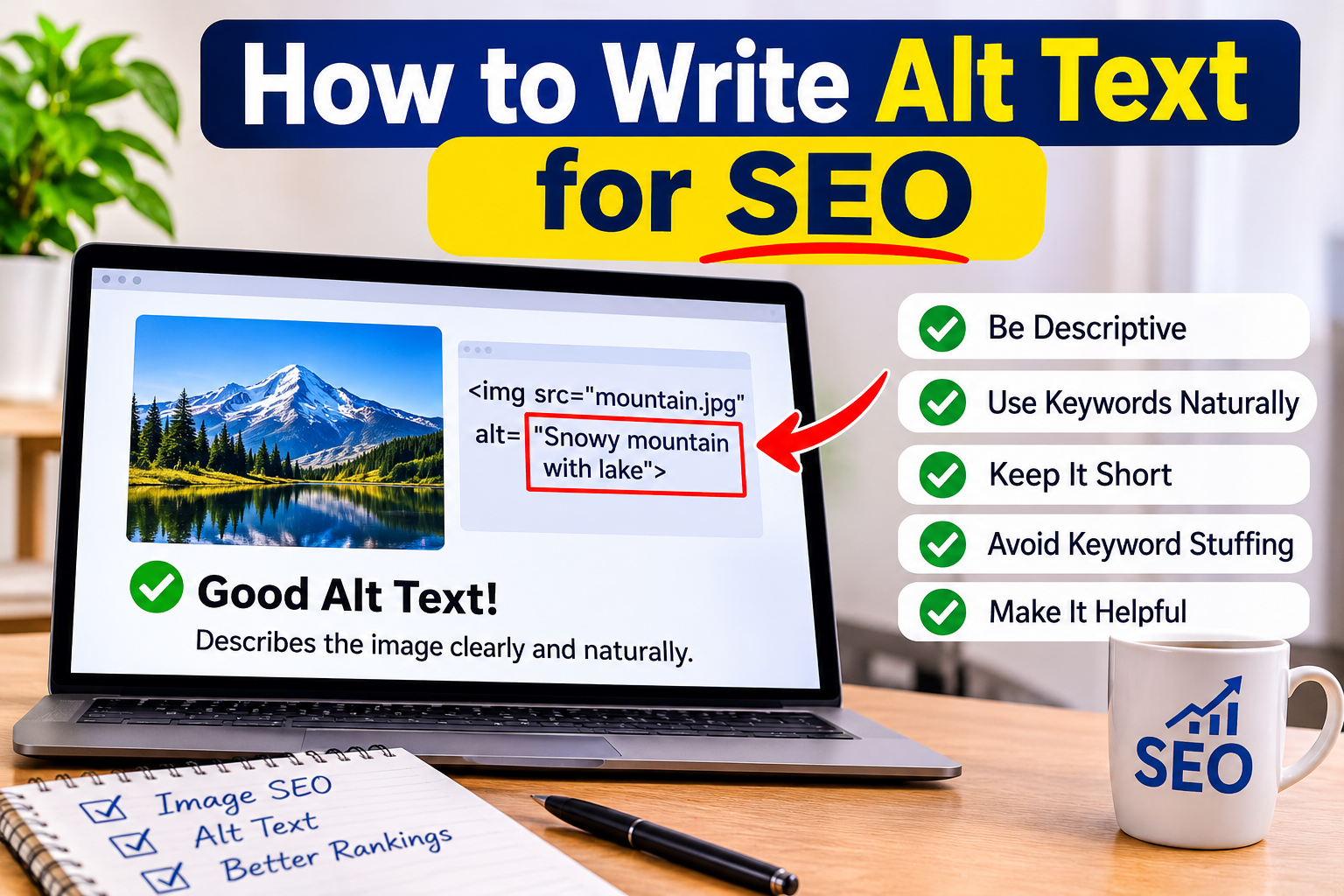
Short and clear is best. Many guides suggest keeping alt text under about one hundred twenty-five characters, because some screen readers may stop or cut longer text, though this is a guide and not a strict rule. For simple images, five to fifteen words are often enough. For complex images, such as charts, use a short alt text and put the longer explanation in the page text nearby. Do not try to fit a whole paragraph in the alt field. Say what matters, and stop.
Should You Use Keywords in Alt Text?
Yes, you can use keywords in alt text, but only when they fit the description. Think of your main keyword as a bonus, not as the goal. If the image shows exactly what the keyword names, using it once is natural. Do not repeat it, and do not add related keywords just to rank. Google’s guidance warns against filling alt text with keywords, because it makes the experience worse for people who use screen readers. Write for them first, and the search benefit will follow.
Alt Text for Different Image Types
Different images need different alt text. For product photos, describe the product with key details, like color and type. For photos of people, describe what they are doing, and name them only if the name matters to the page. For infographics and charts, describe the main point. For screenshots, describe what the screenshot shows. For images used as links or buttons, describe the action, such as “Search” or “Download the guide.” Always ask what a reader would miss if the image was not visible.
Decorative Images and Empty Alt Text
Some images are only for decoration, like a thin line, a background shape, or a repeated pattern. These do not need a description, and a long alt text would only annoy screen reader users. For these, use an empty alt attribute, which looks like alt with two quotation marks and nothing inside. This tells screen readers to skip the image. Do not leave the alt attribute out completely, because some tools will then read the file name instead. Use empty alt text only for images that add no real meaning.
Images With Text, Charts, and Logos
If an image contains text, the alt text should include that text, unless the same words are already in the page. For charts and graphs, say what the chart shows, such as sales rising over six months, and put the data in a table or text below the image. For logos, use the name of the company, or the action if the logo is a link, such as “Go to the home page.” Keep it simple, and avoid adding words like “logo of” unless it helps the reader.
Examples: Bad, Better, and Best
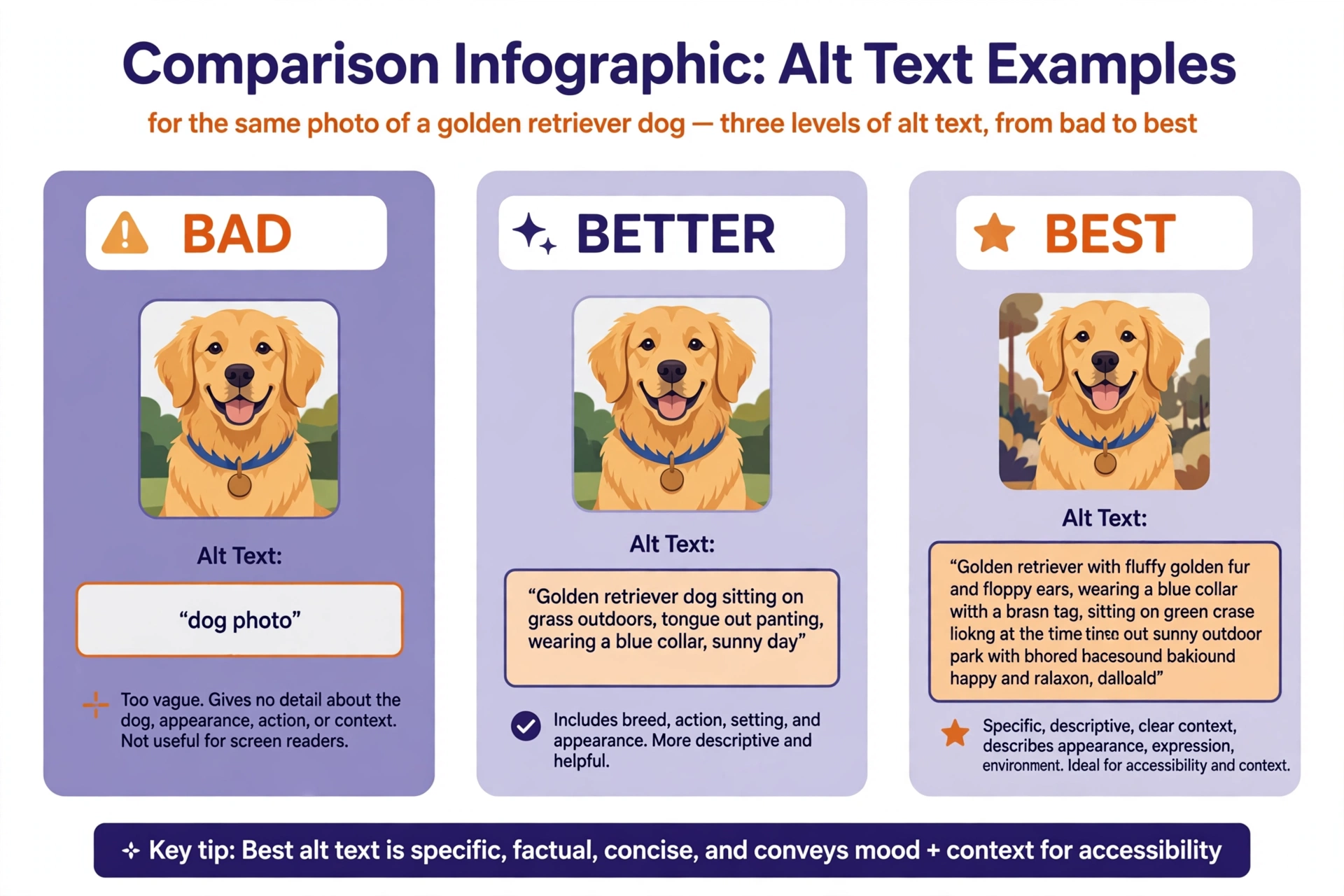
Here are three examples for a photo of a dog eating. A bad alt text is “dog.” It is too short and tells nothing. A stuffed one is “best dog food cheap dog food buy dog food online,” which is spam. A better one is “a golden retriever eating from a blue bowl in a kitchen.” It is clear, short, and honest. If the page is about dog food and the bowl contains a specific food, you can add that detail. The best alt text matches the picture first and the page topic second.
Who Needs to Learn How to Write Alt Text for SEO?
Bloggers can help their readers and boost image search visits. Online shop owners can make product pictures clear for everyone and for search engines. Photographers can describe their work for people who cannot see it. Teachers and course creators can make lessons accessible. Web designers can build better sites. Anyone who adds pictures to a page can benefit, and since the work only takes a few seconds per image, it is one of the easiest wins in SEO.
Alt Text in WordPress
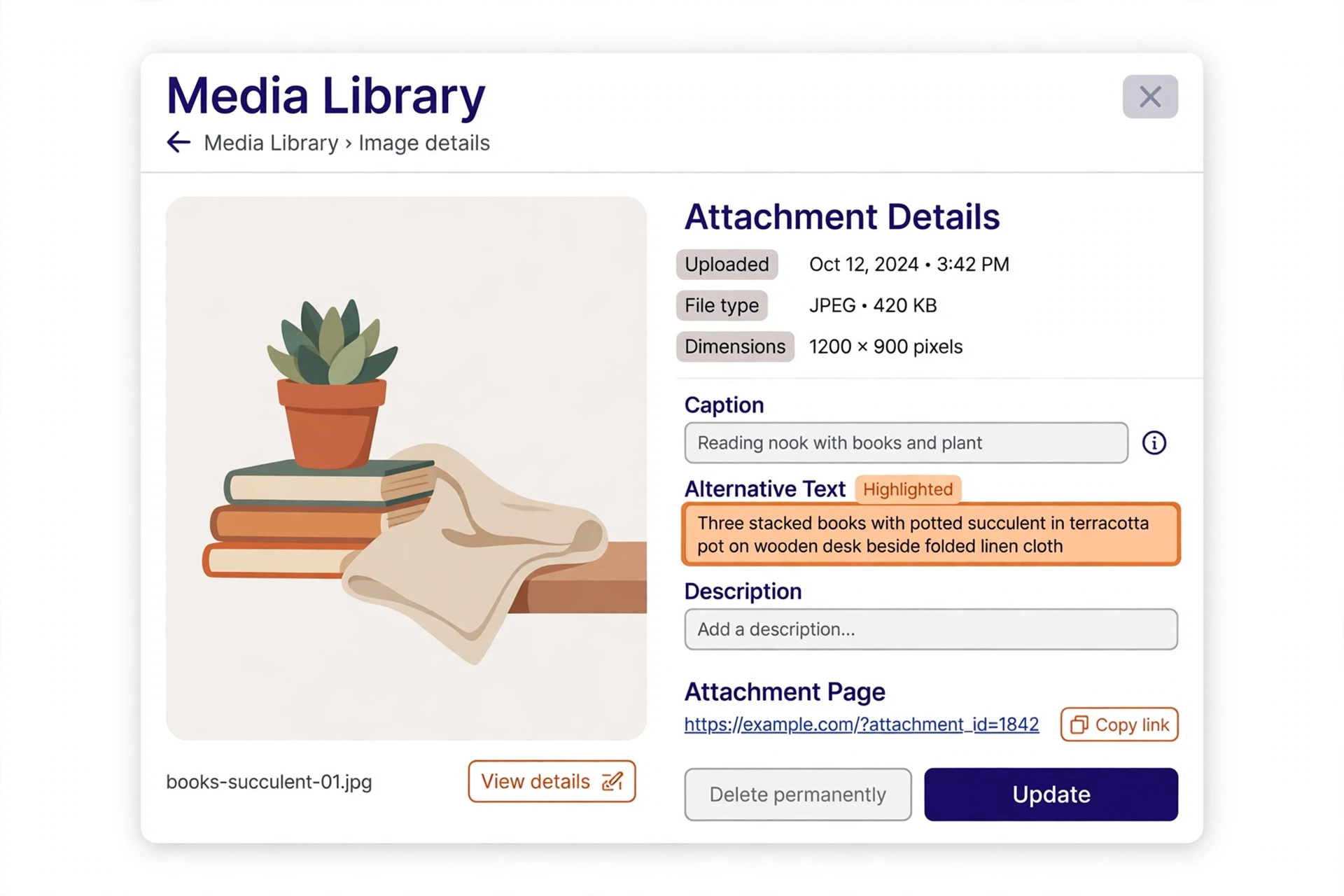
In WordPress, you can add alt text in the media library or while editing a post. Click the image, and look for the field named Alternative Text or Alt Text in the sidebar. Type your short description there. Many themes and page builders have a similar field. If you have many old images without alt text, start with your most visited pages and fix those first. Learning how to write alt text for seo inside WordPress takes only a minute per image once you know where the field is.
Alt Text, File Names, and Captions
These three work together but they are different. The file name should be short and descriptive, such as golden-retriever-eating.jpg, not IMG1234.jpg. The alt text describes the image for people who cannot see it. The caption is visible text under the image that adds extra information for everyone. You do not need to repeat the same words in all three. Each one should have its own job, and together they give both readers and search engines a clear picture.
How to Check Your Alt Text
You can check alt text by looking at the page code, or by using browser tools that show image alt attributes. Many SEO and accessibility tools list images that have no alt text or have very long text. You can also use a screen reader for a short test, or turn off images in your browser to see the alt text that appears. Review your most important pages first. These checks help you see how to write alt text for seo that works in real life, not only in theory.
Common Mistakes
The first mistake is leaving alt text empty on important images. The second is stuffing keywords. The third is writing too long a description. The fourth is starting with “image of” or “photo of.” The fifth is using the same alt text for every image. The sixth is using alt text to describe an image that is only decoration. Avoiding these mistakes is a big part of understanding how to write alt text for seo in a safe and useful way.
Tips for Better Results
Write alt text while you add the image, not months later. Keep a simple style guide, such as one short sentence, no starting words like “image of,” and one keyword at most. Use the same style across your site. Review old pages once in a while. Ask a friend to read your alt text without seeing the image and tell you what they imagine. These small habits make how to write alt text for seo a smooth part of your publishing routine.
Quick Checklist
Before you publish, check each image. Does it have alt text if it carries meaning? Is the alt text short, clear, and honest? Did you avoid starting with “image of”? Did you use a keyword only when it fits? Did you leave decorative images with empty alt text? Does the file name make sense? If you can say yes to each question, you know how to write alt text for seo well enough to use it on every page you publish.
Final Thoughts on How to Write Alt Text for SEO
Alt text is a small detail with a big effect. It makes your site usable for more people, and it gives search engines helpful context. Describe what you see, keep it short, and add a keyword only when it fits. Do not worry about perfection, because clear and honest is enough. If you remember one thing about how to write alt text for seo, remember to write it for a real person who cannot see the image.