Introduction
Before you publish an article, it helps to know how it looks from the outside. Is it too long, too hard to read, or full of repeated words? A text analyzer online answers these questions in a few seconds. You paste your writing into a box, press a button, and see clear numbers about your words, sentences, and style. In this guide, you will learn how this tool works, what it can measure, and how it can help your pages rank better and please real readers.
What Is a Text Analyzer Online?
A text analyzer online is a free website that studies your writing and gives you facts about it. It counts words, sentences, and paragraphs, shows how long it takes to read, and tells you how easy the text is to understand. Many tools also find your most used words and phrases. You do not need to install anything or create an account in most cases. Because the report is simple, even a beginner can read it and know what to fix.
How a Text Analyzer Online Works
The tool follows a simple path. It first reads your text and splits it into words and sentences. Then it counts each part and runs small formulas to find things like reading level and average sentence length. It also looks at how often each word appears and sorts the words from most to least used. At the end, it puts everything into a clean report with numbers and sometimes colors, so you can see the weak spots at a glance.
Why Text Analysis Matters for SEO
Search engines want pages that are helpful, clear, and easy to read. A page that is too hard to understand makes visitors leave, and a page that repeats the same words sounds weak. Text analysis lets you check these things before Google does. It also helps you confirm that your main keyword appears in a natural way. While no tool can promise a top spot, a clean and well-checked page gives you a much better chance to compete with other pages.
Benefits of Using a Text Analyzer Online
The first benefit of using a text analyzer online is speed, since the full report appears in seconds. The second is that you get facts instead of guesses, so you stop wondering if your writing is good enough. The third is that you can edit with confidence, because you can see which parts need work. It also costs nothing in most cases. When you check every article before publishing, small problems are caught early, and your final page feels smoother and more professional.
What a Text Analyzer Can Measure
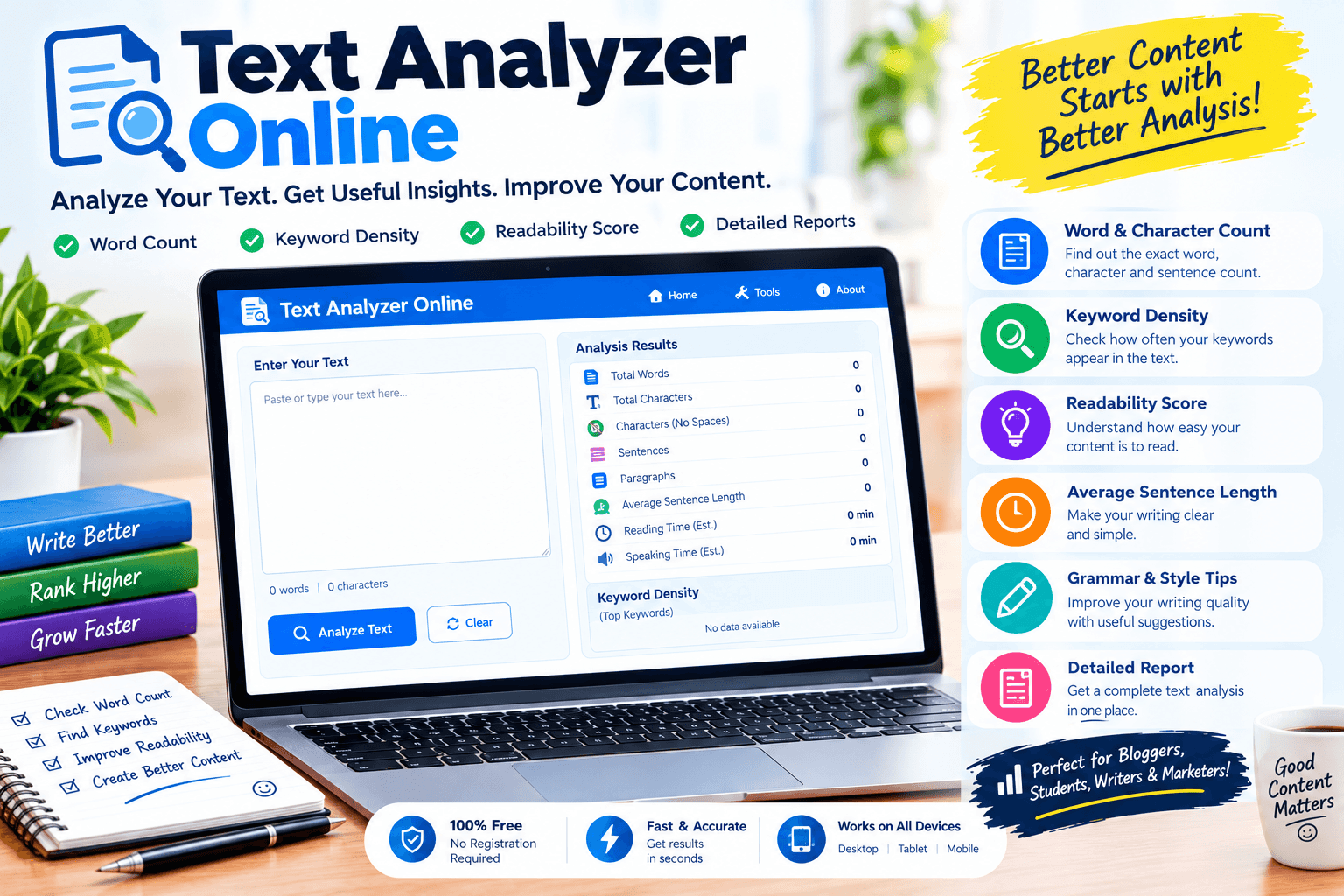
A good tool measures many things. It shows the number of words, characters, sentences, and paragraphs. It shows the reading time and the reading level. It lists the most common words and phrases, and some tools show keyword density as well. Others check for passive voice, long sentences, and complex words. You do not need every number, so focus on the ones that matter for your goal, such as length for blog posts and reading level for a general audience.
Who Can Use This Tool
Many people can use this tool. Bloggers use it to check their posts before publishing. SEO writers use it to review keyword use and length. Students use it to see how readable their essays are, and teachers use it to check class work. Business owners use a text analyzer online to review website pages, emails, and product descriptions so that customers understand them easily. Even authors and editors use it to find habits they did not notice.
How to Use a Text Analyzer Online Step by Step
Using the tool is easy. First, open it in your browser. Second, paste your text into the box, or upload a file if that option exists. Third, press the analyze button. Fourth, read the report, starting with word count, reading level, and common words. Fifth, edit your text where needed and run the check again. It takes only a minute, and repeating it a few times helps you reach a final version that reads smoothly.
Checking Word Count and Length
Length matters because readers and search engines both like pages that fully answer the question. A short page may feel thin, while a very long page may feel tiring. A text analyzer online gives you the exact word count, so you can match your goal. For a simple blog post, one thousand to fifteen hundred words is common, but the right length depends on the topic. Check the top pages for your topic, and aim to be at least as helpful as they are, not just longer.
Understanding Readability Scores
Readability scores tell you how easy your text is to read, usually by looking at sentence length and word length. Short sentences and simple words give a better score. Many websites aim for a reading level that a young teenager could understand, because simple writing reaches more people. This does not mean your ideas must be simple, only that your words should be clear. If your score is low, split long sentences, use shorter words, and add small breaks between ideas.
Finding Keywords and Phrases
Keywords show what your page is about, and a text analyzer online helps you find them. Look at the list of the most used words and phrases, and ask if they match your topic. If your target keyword is missing from the top, add it naturally to your title, first paragraph, and a few headings. If a random word is at the top, your text may be off topic. Phrases of two or three words are especially useful, because people often search with short phrases.
Spotting Repeated Words and Weak Writing
Everyone has habits that weaken writing, such as using the words “very,” “really,” “just,” and “thing” again and again. The tool shows these words at the top of the list, so they are easy to find. It can also point out long sentences and the passive voice, which can make writing feel slow. Replace weak words with stronger ones, split long sentences, and speak directly to the reader. These small edits make your text more lively and keep people reading to the end.
Checking Tone and Sentence Length
Tone is the feeling your writing gives, and sentence length is a big part of it. A mix of short and medium sentences sounds natural, like a friendly talk. Many very long sentences feel heavy, and too many very short ones feel choppy. Check the average sentence length in the report, and try to keep it low. Also read your text out loud once. If you run out of breath, the sentence is probably too long for your reader as well.
Text Analyzer Online for Students and Bloggers
A text analyzer online is helpful for both students and bloggers. Students can check essays for length, repeated words, and readability before handing them in. Bloggers can build a simple checklist, such as target length, reading level, and keyword use, and use it for every post. Language learners can paste news or stories to see the most common words and learn them first. The habit is simple, and it quietly improves your writing every time you use it.
Free vs Paid Tools
Free tools are enough for most people, because they cover counts, reading level, and common words. Paid tools add extras such as checking grammar, finding copied text, comparing two pages, saving reports, and working with very large files. If you are new, start with a free text analyzer online and see if it meets your needs. Upgrade only if you feel limited. Always check that the site does not store or share your text, especially if the content is private or for a client.
Features to Look For in a Text Analyzer Online
Look for a tool that is fast, clean, and easy to read. It should show word count, reading time, reading level, and common words and phrases. The option to hide very common words like “the” and “and” is helpful. Look for results you can sort or download, and make sure it handles long text without freezing. Finally, pick a tool that works well on a phone, because many people now write and edit on mobile devices.
Common Mistakes to Avoid
One common mistake is treating the numbers as the only truth. A perfect score does not make a dull article interesting. Another mistake is chasing a magic word count or keyword percentage, which does not exist. Some people forget to read the text after editing, which leaves awkward sentences. Others use a text analyzer online only once instead of checking every draft. Remember that the tool helps you see problems, but you still decide how to fix them.
Smart Tips for Better Results
Write your first draft freely, and run the analysis after it is done. Fix the biggest problems first, such as length and readability, then handle small words. Keep your main keyword in the title, the opening, and a few headings, without forcing it. Use simple words and short paragraphs. Read the final version out loud, and ask a friend to read it too. Keep a note of what worked, and repeat the same routine for every new page you publish.
Final Thoughts
A short check can make a big difference to the quality of your writing. This kind of tool shows you things your eyes miss, like repeated words, hard sentences, and weak structure. Use it as a helper, not as a judge, and always write with your reader in mind. Over time, you will learn what clear writing feels like, and you will need the tool less. Keep practicing and keep improving, and your content will earn trust page after page.