Reading Time Calculator: How to Estimate How Long Your Text Takes to Read
You have probably seen small labels like “5 min read” at the top of articles. They help readers decide if they have time for a page right now. Behind these labels is a simple tool, a reading time calculator, which turns your word count into a time estimate. In this guide, you will learn how it works, what reading speed it uses, and how to use it for blog posts, emails, and speeches. Everything is explained in simple words, so you can start using it in minutes.
What Is a Reading Time Calculator?
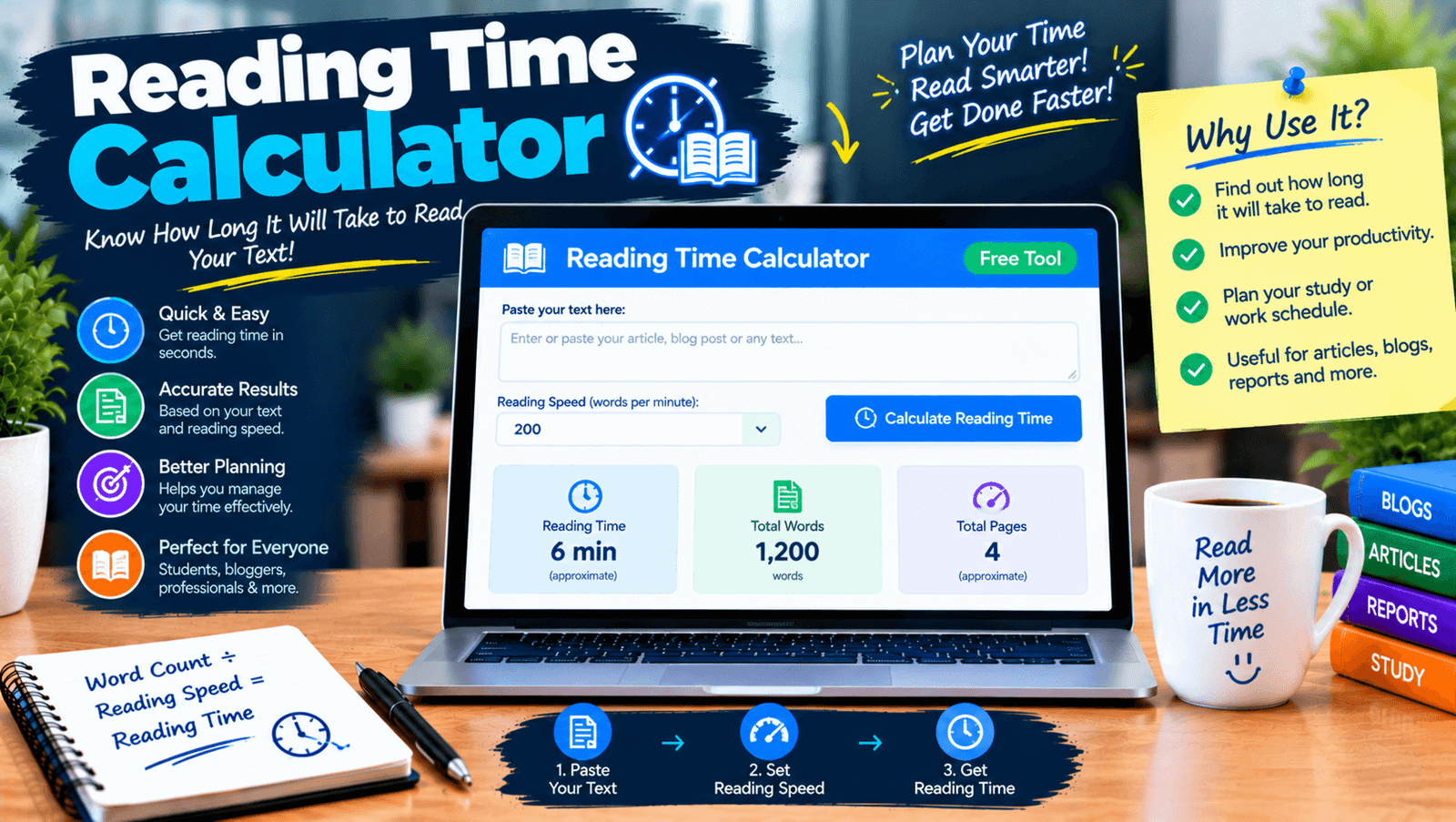
A reading time calculator is a tool that estimates how long it takes to read a piece of text. You paste your text, and the tool counts the words and divides them by an average reading speed. It then shows the result in minutes and sometimes seconds. Many tools also show the word count, character count, and speaking time. It is free, fast, and works on any device, so you can check a short note or a long article in seconds.
How a Reading Time Calculator Works
The idea behind it is basic math. First, the tool counts every word in your text. Second, it divides that number by a reading speed in words per minute. Third, it rounds the result to the nearest minute. A good reading time calculator may also add a few seconds for images or tables if you choose that option. Because the math is simple, results appear instantly, and you can change your text and watch the time update.
The Reading Time Formula in Simple Words
The formula is short: total words divided by words per minute equals minutes. For example, a 1,500-word article read at 250 words per minute takes 6 minutes. At 200 words per minute, the same article takes 7.5 minutes. You can do this on paper, but a tool saves effort and avoids mistakes, especially with long texts. Knowing the formula also helps you understand why different websites may show slightly different times for the same article.
What Is the Average Reading Speed?
Most adults read silently at roughly 200 to 250 words per minute, and some tools use a speed a little higher, around 260 or 265. Studies show wide differences between people, and speed changes with the topic, the language, and the screen or page. Easy stories may be read faster, and hard or technical texts slower. A typical reading time calculator picks one average and sticks to it, which gives a useful estimate, not an exact time for every reader.
Why Add a Reading Time Calculator to Your Blog
Readers like to know what they are getting into. A small label with the time helps them decide if they should read now or save it for later. It sets clear expectations and can make long posts feel less scary. For writers, a quick estimate also shows if an article is too long or too short for its purpose. It is a small detail, but it shows care for the reader, and it adds a clean, helpful touch to your pages.
Does Showing Reading Time Help Readers?
Many readers say they like seeing it, since it helps them plan their time. A short time can encourage people to start, and a long time can tell serious readers that the page is detailed. There is no guarantee that it will increase visits or reading, and the effect depends on your audience. Test it on your own site if you can. A reading time calculator gives you the number, but the best way to keep readers is still clear writing and useful content.
Reading Time vs Speaking Time
Reading and speaking are not the same speed. People usually speak more slowly than they read, often around 130 to 150 words per minute, depending on style. A 1,500-word speech would take about 10 to 12 minutes to say, while the same text can be read silently in about 6 or 7. If you are preparing a talk or a video script, use a tool that shows speaking time, or use a reading time calculator with a lower words-per-minute setting.
Features of a Good Reading Time Calculator
Look for a clean, simple page. It should show reading time, word count, and character count. A setting for reading speed lets you adjust for different audiences. Speaking time is a handy extra. Live updates as you type help you edit and check at the same time. Mobile support matters, since many people write on phones. And a tool should explain how it calculates, so you know what speed it uses and can trust the numbers it gives you.
How to Use a Reading Time Calculator Step by Step
Using the tool is easy. First, open the page. Second, paste your text into the box. Third, choose a reading speed if the tool allows it. Fourth, read the estimated time and the word count. Fifth, if the time is too long or short for your goal, edit the text and check again. Last, copy the time label for your page if you want to show it. Using a reading time calculator takes less than a minute.
A Simple Example
Imagine you wrote a blog post of 1,200 words. At 240 words per minute, the estimate is 5 minutes. You want a quick read of about 4 minutes for your newsletter, so you trim about 240 words, which brings it to 960 words, or 4 minutes. You run the text through the reading time calculator again and see 4 minutes. This small test helps you match your content to your reader’s time, without any guesswork or long math.
What Changes Reading Time?
Many things change how long a text takes. Short sentences and simple words are faster to read. Long sentences, new ideas, and technical words slow readers down. Lists, headings, and short paragraphs make text easier to scan. Readers on small screens may read more slowly. People reading in a second language also take more time. Because of this, treat the number as a friendly guide, and write in a clear way to help every reader finish faster.
Reading Time and SEO
Reading time is not a ranking factor that Google has said it uses. Still, it can help your page in an indirect way. A clear label sets expectations, and good structure keeps readers engaged. Use it as a small user-friendly detail, not as a trick. Focus on helpful content that answers the reader’s question, and use headings and short paragraphs so people can find what they need. Search engines care most about whether your page is useful.
Common Mistakes to Avoid
One mistake is trusting the time as exact for every reader. Another is forgetting that images, tables, and code blocks change how people read. Some writers paste text with menus or comments, which adds extra words. A few use a speaking speed for a reading task, or the reverse. Others cut good content just to make the time look shorter. A reading time calculator is a guide, so use it to help your reader, not to chase a number.
Tips for a Better Reading Experience
Write short sentences and use clear words. Break long paragraphs into smaller parts. Use headings that tell readers what each section covers. Put the main answer near the top. Add examples to explain hard ideas. Read your text out loud to find slow spots. After editing, run your reading time calculator one more time and see if the length still fits your goal. Small changes often help more than big rewrites.
Privacy When Pasting Text
If you paste private text, such as a draft email or a client article, think about where your text goes. Some online tools send content to a server, while others work only in your browser. Look for a clear privacy note that says the text is not stored. You can also test the tool with sample text first. A trustworthy tool is open about how it works and does not ask for more information than it needs.
Free vs Paid Tools
A free tool is enough for most people, because the math is simple. Paid tools may add content scoring, team features, or reports, which most writers do not need for a time estimate. Some blog plugins can show reading time automatically on each post, which saves effort if you publish often. Start free, and add paid features only if you find a real need. Always check what a tool does with your text.
Limits of a Reading Time Calculator
The tool measures length, not quality. It cannot tell you if your writing is clear, useful, or easy to follow. It also cannot know your reader’s speed, interest, or knowledge of the topic. Some tools ignore images, charts, and code, which take time to understand. The estimate may be off for poetry, math, or very technical texts. Use the number as a helpful guide, and always trust real reader feedback more than any estimate.
Final Thoughts on the Reading Time Calculator
A reading time calculator is a small tool with a clear purpose: to help readers and writers understand how long a text will take. Use it to plan your content, to match the length to your goal, and to add a helpful label to your pages. Remember that the number is an estimate, and write in a way that respects your reader’s time. When your words are clear and useful, readers will stay for the whole read.