Introduction
Have you ever finished writing an article and wondered if you used your main keyword too little or too much? Checking by hand is slow, and it is easy to miss a few. A keyword counter online free solves this problem in seconds. You paste your text, type your keyword, and see exactly how many times it appears. In this guide, you will learn how these tools work, what features matter, and how to use them the right way, all in simple words that anyone can follow.
What Is a Keyword Counter Online Free?
A keyword counter online free is a web tool that counts how many times a word or phrase appears in your text, without charging you any money. Most tools also show the total number of words and the keyword density, which is the share of your text that the keyword takes up. Some even show the exact sentences where each keyword appears. You do not need to install anything or learn special skills. You open the page, paste your content, and get the answer right away, which saves a lot of time.
Why Writers and Site Owners Need a Keyword Counter
When you write for the web, your main keyword tells readers and search engines what the page is about. If the keyword never appears, the page may look off-topic. If it appears again and again in a forced way, the text becomes hard to read.
A counter helps you find the balance. It also helps editors who review the work of other writers, because the numbers are the same for everyone and there is no guessing. This makes teamwork smoother and keeps your content clean.
How a Keyword Counter Online Free Works
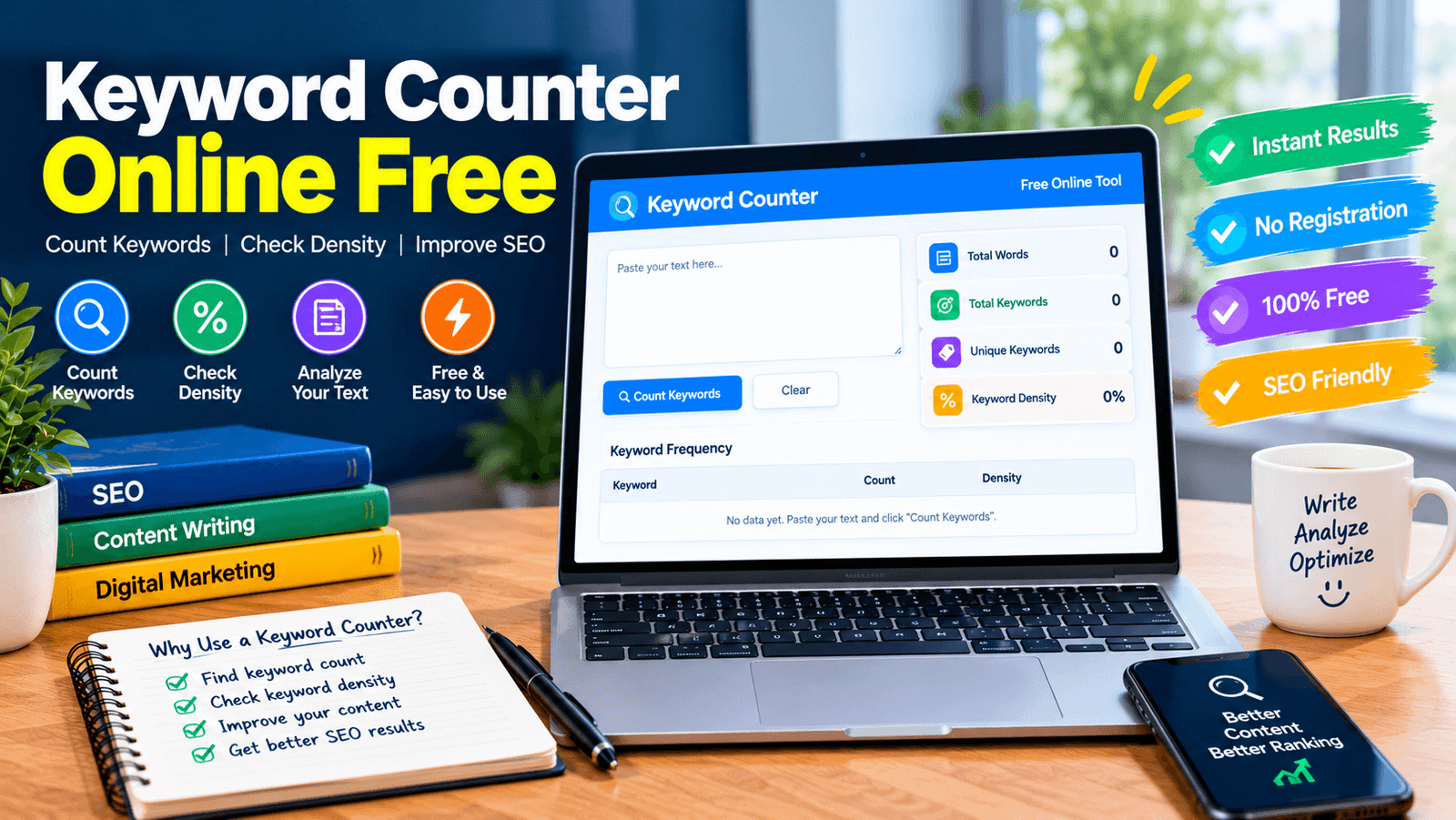
The idea is simple. You paste your content into a box, then type the keyword or phrase you want to check. The tool scans the text and counts every match. Then it divides the matches by the total words and multiplies by 100 to get the density.
The result appears in seconds, often with the matching sentences highlighted. A good free online keyword counter can do all this in your browser, keeping your text private and making even long articles quick to check.
Keyword Count vs Keyword Density
These two numbers are related but not the same. Keyword count is the number of times a keyword appears. Keyword density is that number compared with the length of your text. For example, 14 mentions in an article of 1,842 words gives a density of about 0.76 percent.
The count changes only when you add or remove the keyword, but density also changes when you add or remove other text. Because of this, many editors look at both numbers together before making a decision.
Features to Look for in a Free Online Keyword Counter
Not all tools are equal, so look for a few useful features. First, it should handle phrases as well as single words. Second, it should let you check many keywords at once. Third, a choice between whole-word and partial matching is helpful.
Fourth, it should show the total word count and density clearly. Fifth, showing the sentences around each match makes review easier. Finally, an easy copy option for results helps when you work in a spreadsheet. A tool with these basics will cover most daily needs.
Whole Word vs Partial Matching
Matching mode changes your results, so it is worth understanding. In whole-word mode, the keyword counts only when it appears as a full word. So the word “art” will not be counted inside “article.” In partial mode, the keyword counts anywhere inside a word, so “art” would be found in article, smart, and start.
Whole-word mode is better for most writing checks, because it matches how readers see words. Partial mode is useful when you want to find word parts or variations.
Counting Phrases, Not Just Single Words
Many keywords are not single words. A phrase like “best cloud speakers” has three words that must appear together and in order. A good tool counts the phrase only when all words appear in that order, usually with only spaces between them.
Punctuation between the words can break the match. Also, tools that do not use stemming will not count a plural as the same keyword, so check different forms yourself. This is why it helps to test your main phrase and its common variations.
How to Use a Keyword Counter Online Free Step by Step
Using the tool is easy. First, open the page and paste your full article into the text box. Second, type your main keyword or phrase, and add more keywords if you want, separated by commas. Third, choose whole-word or partial matching.
Fourth, press the check button. Fifth, read the count, the density, and the highlighted sentences. Last, edit your text if something looks too low or too high, then check again. The whole process takes less than a minute, even for a long post.
Is There an Ideal Keyword Density?
Many beginners ask for a perfect number, but there is no official ideal. Google does not publish a target percentage, and chasing one can make your writing worse. Use density only as a mirror of your draft.
If a keyword appears many times in a short text, the writing may feel forced. If it never appears, the page may miss its topic. Read the text out loud and trust your ears. If it sounds natural, it is usually fine, no matter what the number says.
Common Mistakes When Using a Keyword Counter Online for Free
A few mistakes appear again and again. Some people count only the exact phrase and forget natural variations. Others compare their density with a number copied from another site and change good writing to match it.
Some forget to check headings, image text, and the title. A few paste text with extra symbols or code, which changes the total word count. Others stop after one check and never read the matching sentences. A free online keyword counter is a helper, not a judge, so use the numbers with care.
How to Avoid Keyword Stuffing
Keyword stuffing means repeating a word or phrase so often that the text sounds unnatural. Google lists it as a spam practice, and it also drives readers away. To avoid it, write for people first.
Use synonyms and related words, and rewrite sentences that sound forced. If you see the same phrase in almost every sentence, cut some of them. Use a keyword counter online free after writing, not while writing, so your first draft stays natural and flows well from start to finish.
Where to Place Your Keyword
Placement matters more than repeating. Use your main keyword in the title, the first paragraph, at least one heading, and the summary. Add it to your page address and image description if it fits. Inside the body, let it appear where it fits naturally.
Then use the counter to confirm it appears enough, and read the highlighted sentences to check the flow. Good placement helps search engines, and readers understand your topic quickly, without any trick or pressure.
Is Your Text Safe in a Free Online Keyword Counter?
Privacy is a fair worry, especially for unpublished work. Some tools send your text to a server, while others do the work inside your browser and never upload it. Look for a clear privacy statement that explains this.
If you work with private or client content, choose a tool that states it does not store your text. You can also open your browser’s developer tools and watch network activity while you check, to see if anything is sent. A trusted keyword counter online free is open about how it handles your content.
Who Can Use a Keyword Counter Online Free?
Almost anyone who writes can use one. Bloggers use it to check their posts before publishing. Editors use it to compare a draft with a keyword brief that lists minimum and maximum mentions. Students use it to find repeated words in essays and to learn about word frequency. Agencies use it to review work from many writers in the same way. Even business owners who write their own product pages can use it to make sure the main topic is clear and the text stays natural.
Free Tools vs Paid Tools
Paid SEO suites offer many extras, such as search volume, competition, and rank tracking. A free counter does one job: it measures your text. For checking a draft, that is often all you need. If you also want keyword research, a paid suite or Google Keyword Planner can help, and you can use a free counter alongside them. For many bloggers and students, a free online keyword counter is enough to review writing quickly and keep content clean, without any monthly bill.
Tips to Get the Best Results
A few habits improve your checks. Finish your draft first, then check it. Test your main phrase and two or three close variations. Read the matching sentences, not just the number. Set your own minimum and maximum for each keyword, and review them when the draft changes. Keep a simple record of counts for each article, so you can compare later posts. And remember that a number is only a clue. Good writing, useful facts, and clear structure matter far more than any count.
What a Keyword Counter Cannot Tell You?
Every tool has limits. A counter measures your text only. It cannot tell you if the page will rank, how much search volume a keyword has, or how strong the competition is. It also cannot tell you if your writing is accurate or helpful.
Most tools match exact words, so synonyms and plurals are not counted as the same keyword. This is why a keyword counter online free should be part of your process, along with research, careful editing, and honest feedback from real readers.
Final Thoughts on Keyword Counter Online Free
Counting keywords does not need to be hard. With a good tool, you can check any draft in under a minute and see exactly how your content looks. Write naturally first, then check your numbers, and fix anything that sounds forced.
Choose a tool that explains its rules clearly and respects your privacy. With these simple habits, a keyword counter online free can help you publish cleaner, clearer, and more useful content every time.