
Introduction
Headings are the signposts of a web page. Readers use them to decide whether a page is worth their time, and search engines use them to understand what each section covers. That makes headings one of the best places to use a keyword, and also one of the easiest places to overdo it.
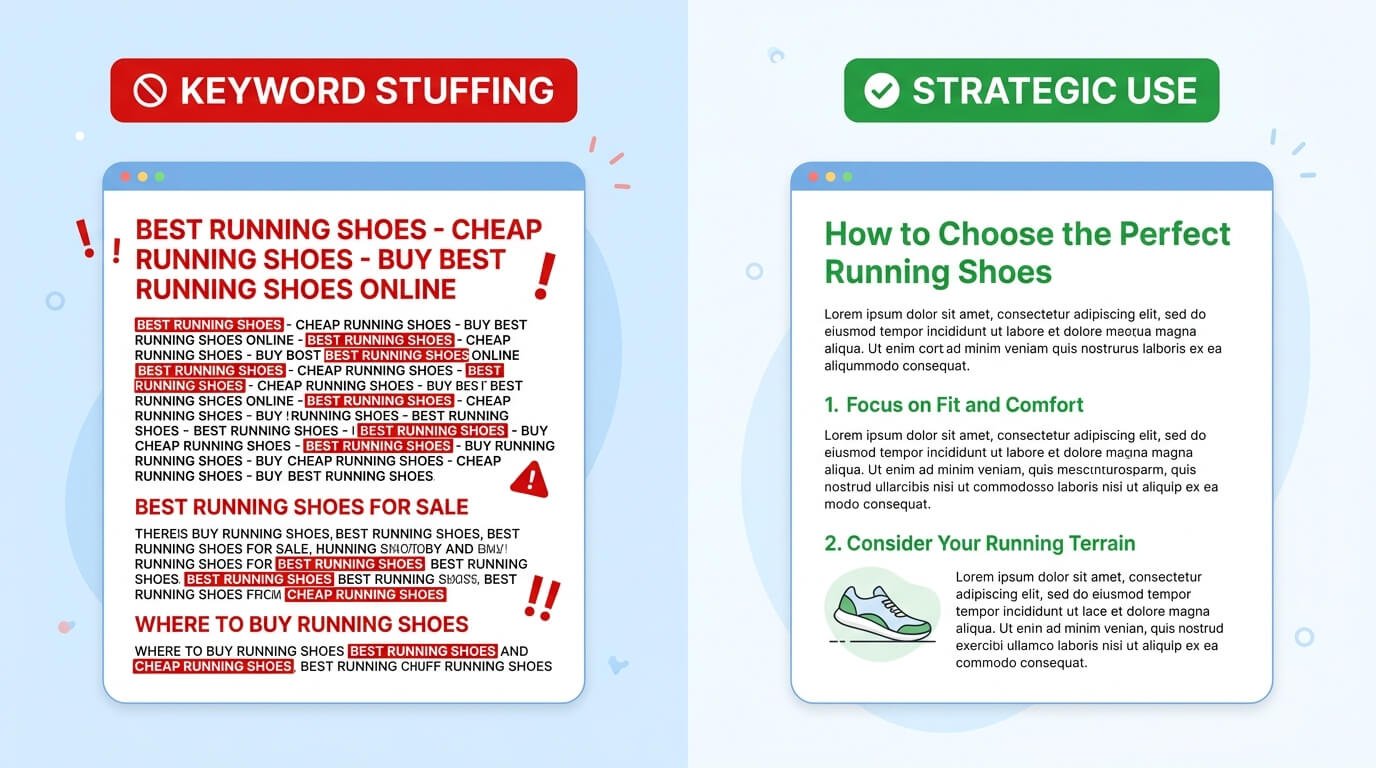
A page where every heading repeats the same phrase looks forced and reads badly. This guide shows how to use keywords in headings in a natural way, from the main title down to the smallest subheading, with before-and-after examples, a checklist, and a simple way to check your work.
Why Headings Matter for SEO and Readers
Headings do two jobs at the same time. For readers, they make a page easy to scan, because most people look at the headings before they decide to read the paragraphs. For search engines and tools such as screen readers, headings show the structure of the page and what each part is about.
Search engines can use heading text as one signal of what a section covers, although nobody outside Google can say exactly how much weight it has. The safest view is that headings help most when they are clear and honest, and a keyword fits well when it truly describes the section.
Understanding H1, H2, and H3 Headings

The H1 is the main heading of the page, and it usually matches the topic of the title tag. H2 headings are the main sections, and H3 headings are smaller parts inside an H2. Think of it like a book: the H1 is the book title, the H2s are the chapters, and the H3s are sections inside the chapters. Search engines can handle more than one H1, but using a single H1 per page is a simple habit that keeps the page focused. Do not skip levels for style, because a clear order helps screen readers and keeps the outline easy to follow.
How to Use Keywords in Your H1
Your H1 is the best place for your primary keyword, because it tells everyone what the page is about. Put the keyword near the start when it reads naturally, and keep the heading close to what a person would expect from the search. The H1 does not need to match the title tag word for word. The title tag is written for the search results page, so it can be shorter or add a small hook, while the H1 is written for people who are already on the page. Use the primary keyword once in the H1 and leave it there.
How to Use Keywords in H2 Headings
H2 headings are where most of your secondary keywords belong, and where it is easiest to stuff. Think of each H2 as a short promise about the section below it.
Use Variations
Do not repeat your primary keyword in every H2. Instead, use close variations, related terms, and the exact words readers use for each subtopic. If your page is about keyword density, one H2 might say “How to Calculate Keyword Density”, another “What Is a Good Density Percentage?”, and another “Common Mistakes With Density”. Each one covers a different part of the topic, and together they make the page feel complete and natural.
Use Questions
Questions make strong headings because they match how people search and how they think. “What is a good keyword density?” is easy to read and tells the reader what kind of answer to expect. Put a short, direct answer in the first sentences under a question heading, and then add the detail. Do not turn every heading into a question, though, because a page made only of questions can feel repetitive.
Describe the Section Honestly
The best test for an H2 is whether it tells the truth about what follows. If you remove the keyword, would the heading still describe the section well? If the answer is no, the keyword is probably forced. A good heading would still make sense without the keyword, and the keyword just makes it more specific.
How to Use Keywords in H3 Headings
H3 headings usually do not need your main keyword at all. Use them for steps, examples, or details inside a section, and let plain, specific wording lead. Add a keyword variation only when it truly fits, such as a long-tail phrase that answers a small question.
Many pages rank well with H3s that contain no target keyword, because the surrounding H2 and the paragraphs already carry the topic. Spending your effort on clear H3 wording is better than adding more keywords to small headings.
How Many Headings Should Include the Keyword?
There is no official number of headings that should include a keyword. A practical habit is to use the exact primary keyword in the H1 and in at most one or two H2s where it fits, and to use variations and related terms in the rest.
If more than a third of your headings contain the same phrase, read them in a row and see how they sound. Repetition that you can hear is repetition a reader will notice, and a counter can help you find it quickly.
Before and After: Heading Examples
Seeing weak and strong headings side by side is the quickest way to learn the difference.
| Weak heading | Better heading | Why it works |
|---|---|---|
| Keyword Density: What Is Keyword Density and How to Check Keyword Density | What Is Keyword Density? | One clear idea, with the keyword used once |
| More Information | How to Calculate Keyword Density | Says exactly what the section teaches |
| Keyword Density Tool, Keyword Density Checker, Keyword Density Calculator (three H2s) | How to Check Keyword Density in Seconds | Merges three repeated headings into one useful one |
| Best Tips Ever for Awesome Results | Five Simple Ways to Avoid Overusing a Keyword | Replaces hype with a clear promise |
Writing Headings That People Want to Read

Good headings are clear before they are clever. Keep them short enough to scan, often under about ten words, and make them specific, so that a reader can understand the section from the heading alone. Use the same style for headings at the same level, such as all questions or all “how to” phrases, but mix styles when the content calls for it.
Avoid vague labels like “More Information” or “Other Things”, which tell neither readers nor search engines anything. Put the most important words early when it reads naturally, and write in plain, everyday language.
Headings and Featured Snippets
Headings can help a page match the questions that people ask, which can make it easier for search engines to find a clear answer to show. A question in an H2 followed by a short, direct answer of a sentence or two is a simple pattern to try. There is no guarantee that any page will appear in a special result, because search engines choose results themselves. Still, clear question headings with clear answers improve the page for readers, and that is a good reason to write them even if no special result ever appears.
Headings and Accessibility
People who use screen readers often move through a page by jumping from heading to heading, so headings work like a table of contents for them. A clear heading order and honest heading text make your page easier to use, and the same habits help every reader.
Do not use heading tags only to make text bigger or bold, and do not leave empty headings on the page. Use real headings for real sections, and use normal text styles for emphasis.
How to Check Your Headings With a Counter
After you write your headings, check the whole page for repetition. Paste the page text, including the headings, into the free Zuhio Keyword Count Checker, enter your primary keyword and a few variations, and read the count and the sentences where each one appears.
The tool shows the highlighted text, so you can see whether the keyword sits in headings or in paragraphs, and whether it clusters in one place. Treat the numbers as clues, because Google has not published an ideal count, and judge the result by how the page reads out loud.
A Heading Checklist
Use this quick checklist before you publish. Does the page have one clear H1 with the primary keyword? Does each H2 describe its section honestly? Do the H2s use variations and related terms instead of the same phrase? Are some headings written as real questions that readers ask? Are the H3s clear and specific, even without keywords? Do the headings follow a logical order without skipped levels? Could a reader understand the whole page by reading only the headings? If you can say yes to each question, your headings are ready to go.
Mistakes to Avoid

A few mistakes show up again and again. Writers repeat the same keyword in every heading, copy competitor headings with no new ideas, use vague headings that say nothing, or skip levels and use heading tags for styling. Others write headings first around keywords and then try to make the paragraphs fit, which makes the section feel off-topic. Another mistake is making headings so long that they turn into sentences. Fix these by reading your headings in a row, as if they were the whole page, and asking whether they tell a clear and honest story.
Frequently Asked Questions
Should every heading contain the keyword?
No. Use the primary keyword in the H1 and where it fits naturally in one or two H2s, and use variations and plain wording everywhere else.
Does the H1 have to match the title tag?
No. They should cover the same topic, but they can be worded differently. The title tag is written for search results, and the H1 is written for readers who are on the page.
Final Thoughts
Using keywords in headings works best when you treat headings as honest signposts first and keyword spots second. Put your primary keyword in the H1, use variations and questions in the H2s, keep the H3s clear and specific, and read the whole outline in a row to make sure it sounds natural.
Remember that no heading style can guarantee a ranking, but clear structure helps readers, screen readers, and search engines alike. When your page is ready, paste it into the free Zuhio Keyword Count Checker to see where a phrase repeats too often, and fix those spots by hand. A few minutes spent on your headings can make the whole page easier to read and easier to trust.