Introduction
When you write an article for your website, you want Google to know what it is about. One way to check this is to count how many times your main keyword appears. An online keyword counter tool does this work for you in seconds, and you do not need to count by hand. In this guide, we will explain what the tool is, how it works, and how you can use it to write better pages that people enjoy and search engines understand.
What Is an Online Keyword Counter Tool?
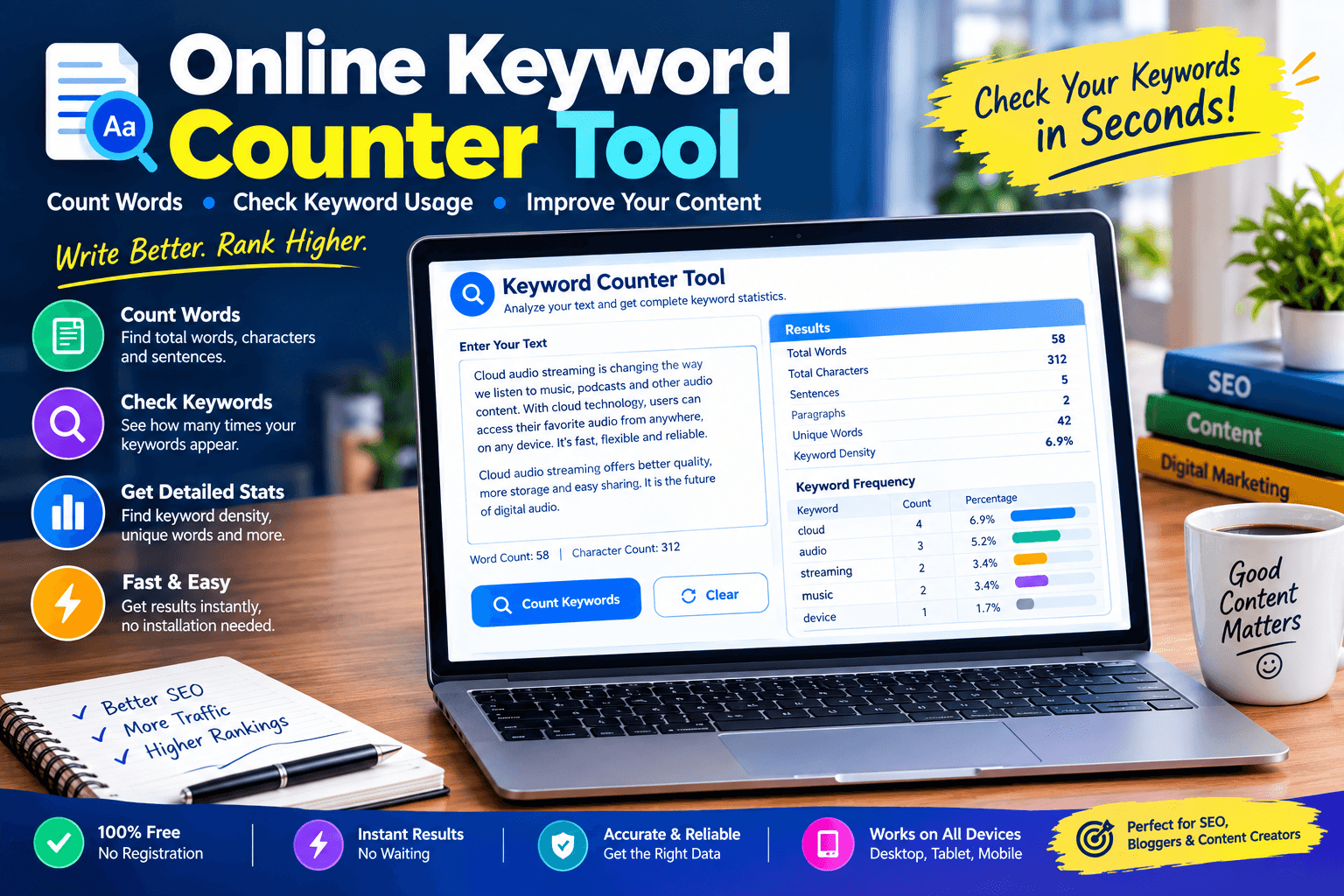
An online keyword counter tool is a free website where you paste your text and see how many times each word or phrase appears. It reads your content, finds repeated words, and shows them in a simple table. You type your focus keyword, and it tells you the exact count and often the percentage too. There is nothing to download, and you can use it on a phone or a computer. This makes it one of the easiest SEO helpers for anyone who writes online.
How an Online Keyword Counter Tool Works
The tool works in a few quick steps. It first reads your text and breaks it into separate words. It then makes every word the same case, so “SEO” and “seo” count as one. After that, it ignores commas, dots, and other marks and counts each word. Some tools also count phrases made of two or three words. Finally, it shows the results in a list from the most used to the least used, so you can spot problems right away.
Why Keyword Counting Matters for SEO
Search engines look at the words on your page to decide what it is about. If your main keyword appears too few times, your page may look unfocused. If it appears too many times, the text sounds unnatural and may look like spam. Counting your keyword helps you stay in the safe middle. It is not the only thing that matters, because good content, trust, and links count too, but clear keyword use gives your page a solid base to grow on.
Benefits of Using an Online Keyword Counter Tool
The first benefit of an online keyword counter tool is speed, because you get your result in a few seconds. The second is accuracy, since people often miscount when they check by eye. The third is confidence, because you know your page is neither empty nor stuffed. It also saves money, since most tools are free. When you check every article before publishing, small mistakes are caught early, and your content becomes cleaner, clearer, and easier for readers to enjoy.
Keyword Count vs Keyword Density
Keyword count is simply how many times a word appears, such as eight times. Keyword density is that number shown as a percentage of the whole text. If your keyword appears eight times in an article of eight hundred words, the density is one percent. The count is easier to understand for beginners, while density helps you compare long and short pages fairly. Most tools show both, so you can use whichever one makes more sense to you.
Who Needs This Tool
Many kinds of people can use this tool. Bloggers use it to check their focus keyword before publishing. Website owners use it to review product and service pages. Freelance writers use it to meet client rules, since clients often ask for a keyword to appear a certain number of times. Marketing teams use an online keyword counter tool to keep many pages consistent, and students use it to see which words they repeat in school work.
How to Use an Online Keyword Counter Tool Step by Step
The steps are very simple. First, open the tool in your browser. Second, paste your article into the text box. Third, type your focus keyword if the tool has a box for it. Fourth, press the check or analyze button. Fifth, read the count, the percentage, and the list of other common words. If the numbers look too low or too high, edit your text and run the check again until the page feels balanced.
Checking Your Focus Keyword
Your focus keyword is the main phrase you want the page to rank for, so it should appear in the right places. Use the tool to see if the exact phrase appears in your title, your first paragraph, a few headings, and the conclusion. If the count is zero or very low, add it naturally. A good online keyword counter tool also tells you when a similar phrase is used instead, which helps you decide if the exact match is needed.
Avoiding Keyword Stuffing
Keyword stuffing means repeating a word so many times that the text feels forced. Search engines do not like it, and readers leave quickly. If your count looks very high, read the text out loud and see if it sounds strange. Replace some repeats with synonyms or related words, or simply remove them. A page that reads like a human wrote it for another human almost always performs better than a page written only for a machine.
Counting Long-Tail and Phrase Keywords
Many searches are phrases, like “best budget laptop for students,” and not single words. A basic counter may only check one word at a time, so look for one that can count two-word and three-word phrases. This helps you see whether your long phrases appear naturally in the text. Long-tail phrases are easier to rank for, so checking them is smart. If your online keyword counter tool cannot do this, you can search for the full phrase in your editor and count the matches.
Checking Titles, Headings, and Meta Tags
Keywords matter most in the places that search engines read first. Check that your focus keyword appears in the page title, the main heading, a couple of subheadings, the URL, and the meta description. You can paste each of these into the tool to confirm. Do not try to put the phrase in every heading, because that looks forced. Two or three well-placed uses are better than ten careless ones, and they make the page easier to scan.
Learning From Top-Ranking Pages
Another smart move is to paste a page that already ranks near the top and see how often it uses the same keyword. This is not about copying, because every page is different. It simply gives you a rough idea of what search engines seem to accept for that topic. Also look at the other words that appear often, since these are related ideas that readers want to see. Add your own facts and examples, so your page becomes more useful than theirs.
Online Keyword Counter Tool for Bloggers and Students
An online keyword counter tool is also helpful for bloggers who publish often and for students who write essays. Bloggers can build a short checklist and use it for every post, which keeps quality steady. Students can see which words they overuse and learn to choose better ones. Teachers can use the same tool to check word variety in class work. The skill is easy to learn, and the habit lasts for years.
Free vs Paid Options
Free tools are enough for most people, because they handle counts, percentages, and common word lists. Paid tools add extras such as saving reports, checking many pages together, working with huge files, and comparing your page with others. If you are new, begin with a free online keyword counter tool and see if it meets your needs. Upgrade only if you feel limited. Also check that the site does not save your text, especially if your content is private.
Features to Look For in an Online Keyword Counter Tool
Pick a tool that is fast, clean, and easy to read. It should show the count and the percentage, and let you hide very common words like “the,” “and,” and “of.” A phrase counter for two or three words is a big plus. Sorting and download options help when you work on many articles. Make sure the page does not crash with long text, and that it works well on a phone, since many people write and edit on mobile.
Common Mistakes to Avoid
A common mistake is trying to reach a magic number, as if one exact percentage guaranteed the first place. It does not. Another mistake is checking only the exact keyword and ignoring related words. Some writers also stuff the keyword just to hit a target, which hurts readability. Others use an online keyword counter tool only once, instead of checking each draft. Finally, many forget to read the text again after making changes, which can leave awkward sentences behind.
Smart Tips for Better Results
Write your first draft naturally, and run the check after you finish. Place the focus keyword in the title, the first paragraph, and a few headings. Use related words and synonyms to keep the text smooth. Keep your sentences short and your paragraphs clear. Read the final version out loud, because strange repetition is easy to hear. Save a note about what worked, and repeat the same routine on your next page so your quality stays high.
Final Thoughts
Counting keywords is a small step, but it can improve every page you publish. It helps you stay clear, balanced, and honest in your writing, which is what both readers and search engines want. Use the tool as a helper, not as a boss, and always keep your reader in mind. Over time, you will learn what feels natural and what does not. Keep practicing, keep checking, and your content will become stronger with every new article.