When you search for something on Google, you see a list of websites with small summaries underneath each result. Those summaries matter more than most people realize. They can be the difference between someone clicking on your website or scrolling past it to find another option. The text in those summaries is called a meta description, and getting the length right is crucial for your website’s success. A meta description length checker is a simple tool that helps you make sure your descriptions are exactly the right length for maximum impact.
The Basics: What Is a Meta Description Anyway?
A meta description is a short piece of text that describes what a webpage is about. It lives in the HTML code of your page, which means you cannot see it when you visit the website directly. However, it appears in search results, giving potential visitors a preview of what they will find if they click through to your page. Every webpage can have its own unique meta description, and writing them well is an important part of any SEO strategy.
Think of a meta description like the tagline on a book cover. It needs to be interesting enough to make someone want to read more, but short enough to fit in the space provided. If your description is too long, it gets cut off and your message is lost. If it is too short, people do not get enough information to decide if they want to visit your page.
Why Does the Length of Your Meta Description Matter?
Search engines only have so much room to display your meta description in the search results. Google typically shows between 150 and 160 characters for desktop searches, and even fewer for mobile devices. When your description is longer than this limit, it gets truncated with an ellipsis, leaving users with an incomplete message that might not convince them to click.
Using a meta description length checker helps you stay within the character limits that Google and other search engines impose. This ensures that your entire message is visible to users, giving them the full context of what your page offers. A properly sized meta description communicates your value proposition clearly and gives people a reason to choose your link over competitors.
Understanding Character Limits in Search Results
The character limit for meta descriptions is not set in stone, and it can vary depending on the width of the search result display. On desktop computers, Google usually displays around 155 to 160 characters. On mobile phones and tablets, the space is narrower, so you might only see 120 to 130 characters before the text gets cut off.
Because of these variations, the safest approach is to keep your meta descriptions between 150 and 155 characters. This length should display fully on both desktop and mobile devices, ensuring that all users see the complete version of your message regardless of how they access Google.
How Does a Meta Description Length Checker Work?
A meta description length checker is a free online tool that counts the characters in your meta description and tells you whether it falls within the optimal range. Most checkers will display your character count clearly and highlight whether your description is too short, within the ideal range, or too long.
Some advanced meta description length checker tools also provide a visual preview of how your description will appear in actual Google search results. This is incredibly useful because it shows you exactly what users will see, including how your text wraps and where the cut-off point occurs. You can adjust your wording based on this preview and check again until you achieve the perfect length.
The Relationship Between Meta Descriptions and Click-Through Rates
While meta descriptions do not directly affect your search engine rankings, they do have a significant impact on your click-through rate. Your click-through rate is the percentage of people who see your result in search and actually click on it. When more people click on your link, it sends positive signals to search engines that your content is relevant and valuable, which can eventually lead to better rankings.
A compelling meta description that appears in full can dramatically increase your click-through rate compared to a description that is missing, too short, or gets cut off mid-sentence. This is why investing time in crafting excellent meta descriptions and verifying them with a meta description length checker is one of the simplest yet most effective SEO improvements you can make.
Crafting Compelling Meta Descriptions That Convert
Writing a great meta description is about more than just hitting the right character count. You also need to make your description interesting and relevant to the people who will see it in search results. Start by identifying the main benefit or value proposition of your page and communicate it clearly and concisely.
Include your primary keyword naturally within the description. When users see their search terms in your meta description, they recognize that your page is relevant to what they are looking for, which increases the likelihood of a click. Adding a call to action can also help, such as “Learn how to…” or “Discover…” which gives users a clear next step and creates a sense of urgency to visit your page.
Common Mistakes People Make with Meta Descriptions
One of the most frequent mistakes is copying and pasting the first paragraph of your article into the meta description field. This almost never works well because that paragraph is usually too long, lacks focus, and does not serve as an effective summary of the page’s content. Your meta description should be purpose-written to attract clicks from search results.
Another mistake is leaving the meta description blank. Many content management systems will either leave a blank space in search results or auto-generate a description that might not accurately represent your content. Auto-generated descriptions often pull random text from your page that confuses rather than informs potential visitors.
Meta Description Length for Different Types of Pages
Not every page on your website needs the same type of meta description. Your homepage should introduce your brand as a whole and communicate your overall value proposition. Product pages should highlight key features, benefits, and what makes your offering unique. Blog posts need descriptions that summarize the article’s main point and promise valuable information to the reader.
When writing meta descriptions for different page types, always keep the user’s intent in mind. Someone searching for a product page wants to know about features and benefits, while someone searching for a blog post wants to know what they will learn or gain from reading. Tailoring your descriptions to match user intent, while still using a meta description length checker to stay within limits, will yield the best results.
The Importance of Unique Meta Descriptions for Every Page
Each page on your website should have its own unique meta description that accurately reflects that specific page’s content. Duplicate meta descriptions across multiple pages confuse search engines and users alike. When every page has the same generic description, you miss the opportunity to attract targeted traffic from specific search queries.
Creating unique meta descriptions for every page does require more effort, but the payoff in improved click-through rates and user experience is worth it. Take time to craft specific, relevant descriptions for each important page on your site, and use your meta description length checker to ensure they all fit properly in search results.
Local Business Meta Descriptions and Location Keywords
If you run a local business, your meta descriptions should include location-specific keywords that help you appear in searches from your service area. Phrases like “in [city name]” or “serving [region]” help search engines understand where you operate and when to show your result to local searchers.
Location-based meta descriptions often need to fit more information into the same limited character count. You are balancing your business name, service description, location, and a call to action all within 155 characters. A meta description length checker becomes especially important in these situations to ensure nothing gets cut off while still conveying all the necessary information.
Mobile Optimization and Meta Description Length
More people now browse the internet on mobile devices than on desktop computers, which means your meta descriptions must work well on smaller screens. Mobile search results typically display fewer characters than desktop results, making it even more critical to keep your descriptions concise.
A meta description length checker that accounts for mobile display limits is particularly valuable. By targeting a shorter character count that displays fully on mobile devices, you ensure that all users receive the same complete message regardless of how they access your site. Some SEO experts recommend writing meta descriptions specifically for mobile and using a slightly shorter limit to guarantee full display.
How Often Should You Update Your Meta Descriptions?
Meta descriptions should not be set and forgotten. As your content evolves, your descriptions should evolve too. If you update a product page with new features, your meta description should reflect those changes. If you write a new blog post, it deserves a fresh, compelling description that accurately represents the content.
Regular audits of your meta descriptions, at least once or twice per year, help ensure that all your descriptions remain relevant, accurate, and within optimal length limits. A meta description length checker makes these audits quick and efficient, allowing you to review dozens of pages in a short amount of time and identify any that need updates.
Tools and Resources for Meta Description Optimization
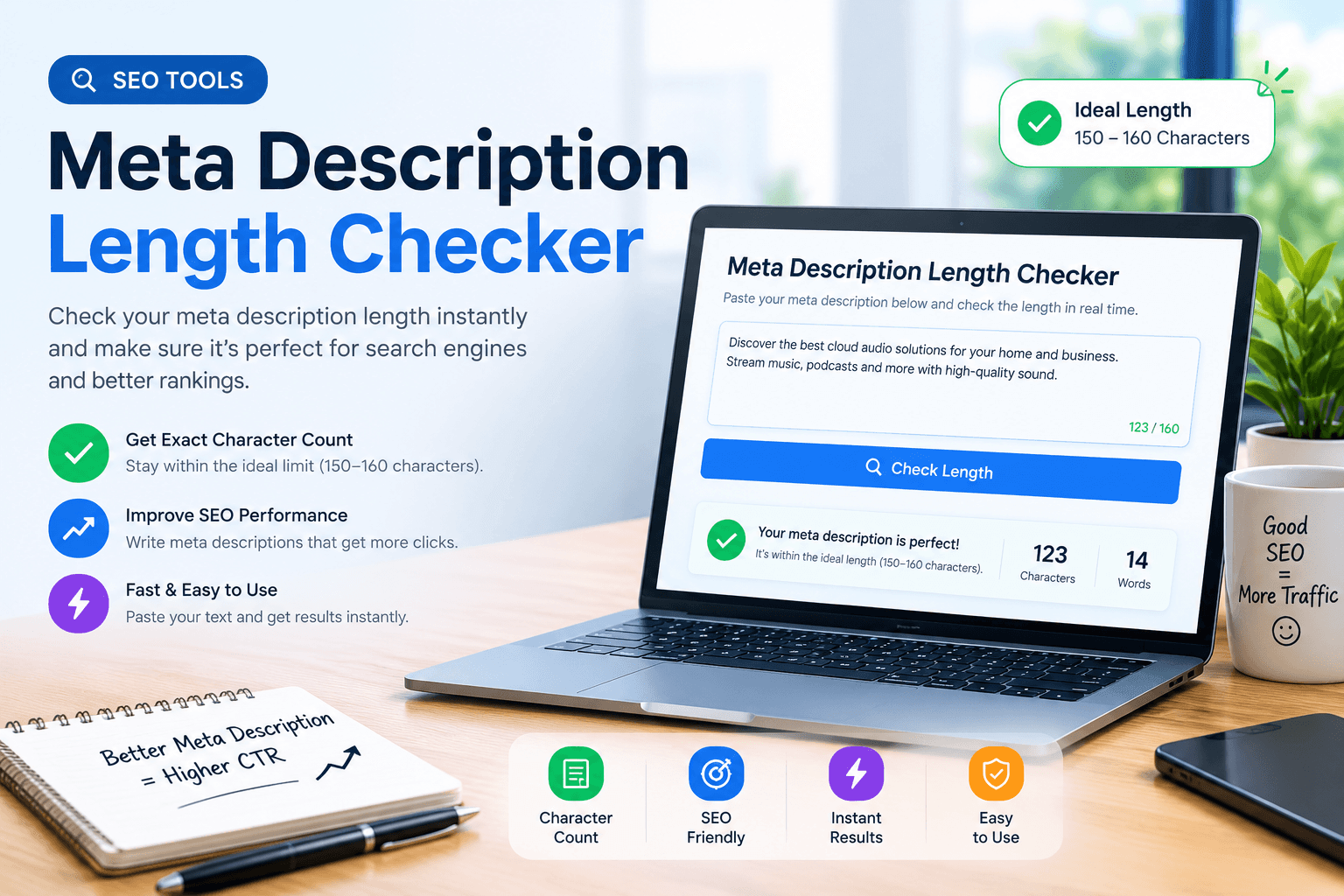
There are many free and paid tools available to help you create and verify optimal meta descriptions. Popular SEO platforms like Yoast SEO, SEMrush, Ahrefs, and Moz all include meta description analysis as part of their feature sets. These tools often provide length checking along with suggestions for improving your copy.
Free online meta description length checkers are also widely available if you only need basic character counting functionality. Some of these tools go beyond simple counting to provide preview functionality, keyword density analysis, and comparison against competitor descriptions. Finding the right tool depends on your specific needs and how deeply you want to optimize your SEO efforts.
The Connection Between Meta Descriptions and Social Sharing
While meta descriptions are primarily designed for search engines, they also often appear when content is shared on social media platforms. When someone posts a link to your page on Facebook, LinkedIn, or Twitter, the meta description frequently becomes the default share text that appears with the link.
This dual-purpose nature means your meta descriptions should be compelling not just for search users but also for social media audiences. Write descriptions that work well in both contexts, and verify them with your meta description length checker to ensure they display properly across all platforms where they might appear.
Measuring the Success of Your Meta Descriptions
After optimizing your meta descriptions and verifying them with a meta description length checker, it is important to track how well they perform. Google Search Console provides valuable data on your click-through rates, impressions, and average position for each page. This information can tell you whether your meta descriptions are effective at attracting clicks.
If you notice pages with high impressions but low click-through rates, it might indicate that your meta descriptions are not compelling enough or are being truncated in search results. Experiment with different wording, adjust your length, and use your meta description length checker to re-verify. Small improvements in click-through rate can lead to significant increases in organic traffic over time.
Common Questions About Meta Description Length
Many website owners have similar questions about meta descriptions and their optimal length. One frequently asked question is whether meta descriptions affect rankings directly. The answer is no, meta descriptions are not a direct ranking factor, but they do influence click-through rates, which can indirectly affect rankings over time.
Another common question is what happens if you do not write a meta description at all. In this case, Google will usually auto-generate a description based on the page content, which might not be as compelling or accurate as a manually written version. Always take the time to write custom meta descriptions for your most important pages.
Final Tips for Meta Description Success
Writing great meta descriptions takes practice, but it becomes easier once you understand the principles. Always use a meta description length checker to verify your work before publishing. Make sure every description is unique, accurately reflects the page content, includes relevant keywords, and provides value to potential visitors.
Remember that your meta description is often the first impression people have of your page. Make it count by crafting compelling, well-sized descriptions that motivate people to click through and explore your content. The effort you put into meta descriptions will pay off in increased traffic, better user engagement, and improved SEO performance over time.