
Introduction
Two writers paste the same article into a keyword counter and get two different answers. One sees the word “art” twice, and the other sees it four times. Neither tool is broken. One is using whole word matching, and the other is using partial matching.
This small setting changes your count, your density, and sometimes the decisions you make about your content. This guide explains whole word vs partial keyword matching in simple words, shows when to use each one, and gives you a clear routine so your numbers are always easy to trust and easy to explain.
The Short Answer
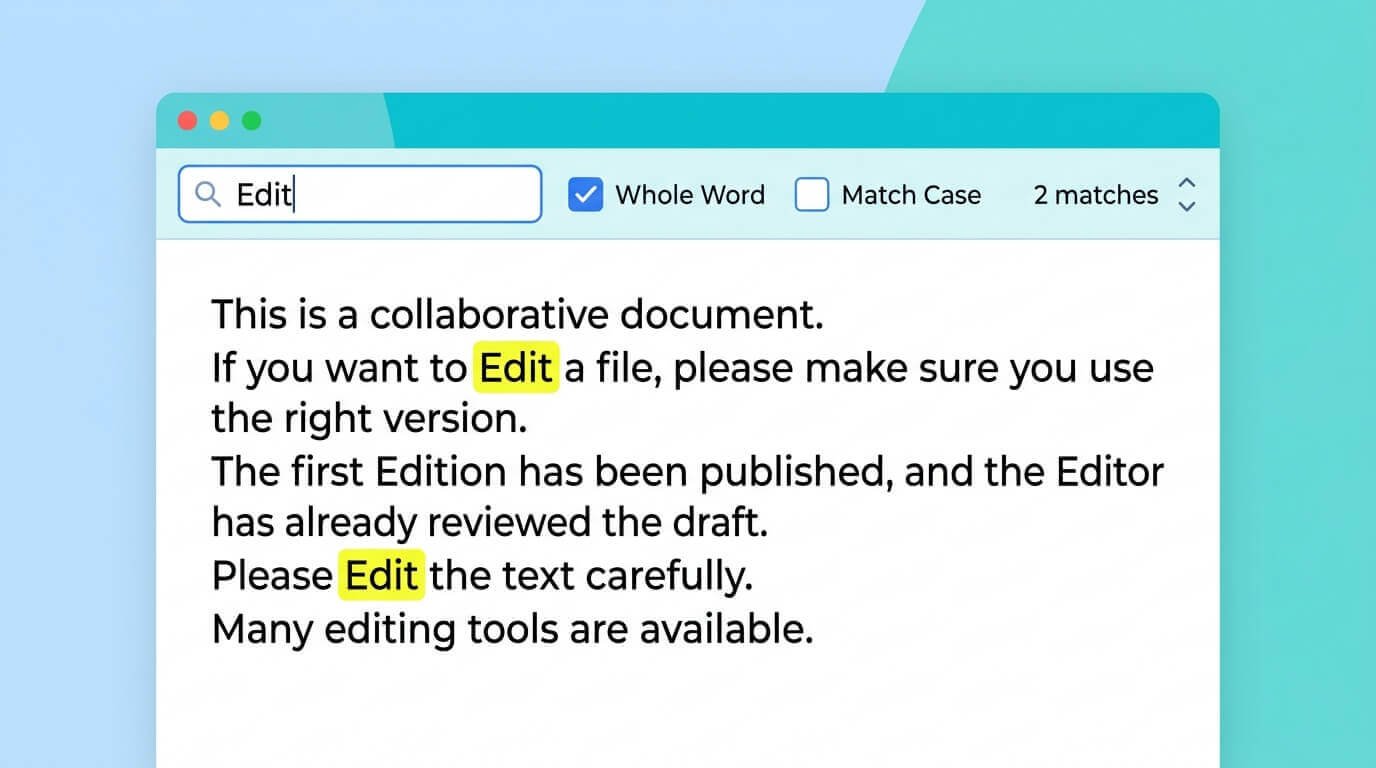
Whole word matching counts a keyword only when it appears as a complete word, so “art” is not counted inside “article”. Partial matching counts the letters wherever they appear, even inside longer words.
For most SEO and editing work, whole word matching gives the cleaner and more honest answer. Partial matching is useful in special cases, such as catching different forms of a word. The most important rule is to pick one mode, use it every time, and say which one you used when you share results.
What Is Whole Word Matching?


Whole word matching looks for your keyword as a standalone word with a clear break on both sides, such as a space or a punctuation mark. If you search for “cat”, it finds “the cat sat” but skips “category” and “scatter”. This is how a reader understands the text, because people do not think of “cat” as being present in the word “category”. It also keeps short words from creating false matches, which is why most editors and SEO writers start with this mode when they want an accurate count.
What Is Partial Matching?
Partial matching, sometimes called substring matching, counts your letters anywhere they appear. If you search for “cat”, it finds the word itself and also the letters inside “category”, “scatter”, and “concatenate”. This makes the count larger and less precise. It is not wrong, but it answers a different question.
Instead of asking how many times the word appears, it asks how many times that string of letters appears. That is useful in a few situations, but it can mislead you if you forget which question you asked.
A Simple Example
Take the sentence “The cat read a category of cat stories.” It has eight words. With whole-word matching, the keyword “cat” appears twice, which is a density of 25 percent. With partial matching, it appears three times, because the letters are also inside “category”, which gives 37.5 percent. The text did not change at all, but the count and the density both went up. A small example like this is the fastest way to understand why the two modes can give very different numbers.
| Mode | Keyword | Count | Density |
|---|---|---|---|
| Whole word | cat | 2 | 25.00% |
| Partial | cat | 3 | 37.50% |
Whole Word vs Partial Matching Side by Side
Here is a quick comparison that you can keep next to your notes when you edit.
| Whole word matching | Partial matching | |
|---|---|---|
| Question it answers | How many times does this word appear? | How many times do these letters appear? |
| Size of the count | Smaller and more precise | Larger and less precise |
| Main risk | May miss other word forms | Counts words hidden inside longer words |
| Best for | Keyword checks, briefs, and reports | Exploring word forms and stems |
When to Use Whole Word Matching
Whole word matching should be your default for everyday SEO work. Three situations show why.
Checking Your Main Keyword
When you check how often your target keyword appears, you want the number a reader would see. Whole word matching gives you that. If your keyword is “seo”, partial matching would also count the letters inside words like “Seoul”, which would make your main keyword look more common than it really is.
Short Words and Brand Names
Short words and names are where partial matching causes the most trouble. A keyword like “app”, “art”, or “tax” can hide inside dozens of longer words. Whole word matching keeps these checks clean, so a short brand name does not look overused when it is actually used only a few times.
Reporting to Clients
A whole word count matches how a person reads the text, so it is easier to explain and defend. If a client uses Ctrl+F and gets a bigger number, you can explain that the Find box counts partial matches by default. Having a clear reason for the difference saves long back-and-forth conversations, and it shows that you know how your numbers were measured.
When to Use Partial Matching

Partial matching is a specialist tool, but it has real uses.
Catching Word Forms
If you want to know how often you use any form of a word, partial matching can help. Searching “optimiz” would find “optimize”, “optimizing”, “optimization”, and “optimized” together. This is a quick way to see how much of a page is built around one idea, even when the exact form changes from sentence to sentence.
Finding Roots and Stems
Writers often search for a stem, such as “keyword”, to see how often it appears in other forms like “keywords” or “keywording”. Partial matching treats these as matches, while whole word matching does not. Use it when you are exploring a topic or checking for general repetition, and not when you need an exact figure for a brief.
Spotting Hidden Matches
Partial matching can also reveal repetition that you did not notice. If a stem shows up far more often with partial matching than with whole word matching, many of the extra matches are word forms or longer words built on the same root. Comparing the two counts is a simple way to learn how varied your wording really is.
How Matching Mode Affects Keyword Density
Because density depends on the count, the matching mode changes it too. A keyword that looks like it has a healthy density with whole word matching may look overused with partial matching, because the extra matches raise the percentage.
The total number of words stays the same, so only the count changes. This is why you should never compare a density from one mode with a density from another. Decide on a mode first, then compare drafts using that same setting.
Whole Word vs Partial Matching for Phrases
Phrases work a little differently. A phrase matches only when its words appear in the same order with only spaces between them, so a comma or a line break in the middle stops the match.
Whole word matching also requires clean breaks at both ends of the phrase. Partial matching on a phrase can find it inside a longer phrase, such as “keyword research” inside “keyword researcher”. For phrase checks, whole word matching is usually better, and you can add variants as separate entries.
What Neither Mode Can Catch
Neither mode understands meaning. Whole word matching will not count “keywords” when you search “keyword”, and neither mode will count a synonym like “search term”. Partial matching can catch the plural by accident, but it is not a reliable way to cover word forms.
If you need several forms counted, add each one as its own entry. A counter tells you about exact wording, so use your own reading to judge whether the topic is well covered.
Why Different Tools Give Different Numbers
If two tools disagree, the matching mode is the first thing to check. After that, look at how each tool treats hyphens, apostrophes, numbers, and capital letters, because the rules differ. Some tools count “SEO-friendly” as one word and others as two.
Some include headings and menus in the text, while others do not. Paste the same text into both tools, note the mode and the settings, and you will usually find the reason for the gap within a minute.
How to Switch Modes in Your Checker
In the free Zuhio Keyword Count Checker, you paste your text, enter your keywords, and choose whole word or partial matching before you run the check. The results show the count, the density, the coverage, and the sentences where each match appears.
Reading those sentences is the best way to see the difference between the modes, because partial matches inside longer words are easy to spot. You can run the same text twice, once in each mode, and compare the two results side by side.
A Quick Workflow
Here is a simple routine. First, run your main keyword and its variations with whole word matching, and note the count and the density. Second, if you want to learn about word forms, run the stem with partial matching and compare.
Third, read the sentences behind any large difference to see which longer words are being counted. Fourth, decide what to edit based on what a reader would notice and not on the biggest number. Finally, write the mode in your notes, so the next check is consistent.
Common Mistakes to Avoid
People often compare counts from different modes and think their text changed. They use partial matching on short words and get inflated numbers. They forget that exact matching misses plurals, so they add extra mentions that were never needed.
They trust one tool without checking its settings. And they chase a number and forget the reader. A better habit is to treat the mode as part of the result, so every number you share comes with a short note about how it was measured.
Frequently Asked Questions
Which mode is better for SEO?
Whole word matching is the better default because it reflects how a reader sees the text. Use partial matching only when you have a clear reason, such as checking word forms.
Does Google use whole word matching?
Google understands word forms and meaning, so it does not work like a simple counter. It can treat related forms of a word as relevant. That is why a counter is only a writing check and not a prediction of how search engines will read your page.
Final Thoughts
The difference between whole word and partial keyword matching is small, but it can change your count, your density, and your decisions. Whole word matching counts complete words and gives the cleanest answer for everyday SEO work. Partial matching counts letters anywhere and helps when you want to explore word forms or stems.
Pick one mode for each check, keep it the same when you compare drafts, and always say which one you used. Do not chase a number, because helpful, natural writing will matter more than any setting. To see the difference on your own text, paste it into the free Zuhio Keyword Count Checker, run it in both modes, and read the sentences behind each match. A minute of testing today will make every future check easier to trust.